How to turn one blog post into newsletter and social drafts.
A practical workflow for turning each new article into newsletter and social media drafts with automation and AI, with a person reviewing every draft.
A good article takes real effort: interviews, research, examples, editing. Then it gets one LinkedIn post and one email, and within a week nobody looks at it again. Most of the people you wrote it for never saw it, because they read newsletters, not blogs, or they only notice what turns up in their LinkedIn feed.
Repurposing means taking one finished article and turning it into versions that suit each channel: a short newsletter piece, a LinkedIn post, a few social snippets, a summary for your sales team. Most of this is mechanical, so it can be automated. The writing still needs a human to check it.
What one article can become
Don't try to squeeze ten assets out of every post. Choose the formats your audience actually uses. A sensible starting set:
- Newsletter section: a few short paragraphs covering the main point and why it matters, with one link to the full article.
- LinkedIn post: one practical takeaway written as plain text, with a clear opening line and a question or link at the end.
- Short social snippets: two or three standalone tips or quotes from the article, each one making sense without the others.
- Internal summary: a few bullet points for sales or account managers, so they know what was published and when it's useful to send to a client.
Each of these should still make sense to someone who never reads the article. A snippet that only says "read more" isn't useful content.
How the workflow fits together
You can build this with an automation platform such as Zapier, Make or n8n, plus an AI model's API. If you haven't picked a platform yet, our comparison of Zapier, Make and n8n covers the trade-offs. The structure is the same whichever you choose.
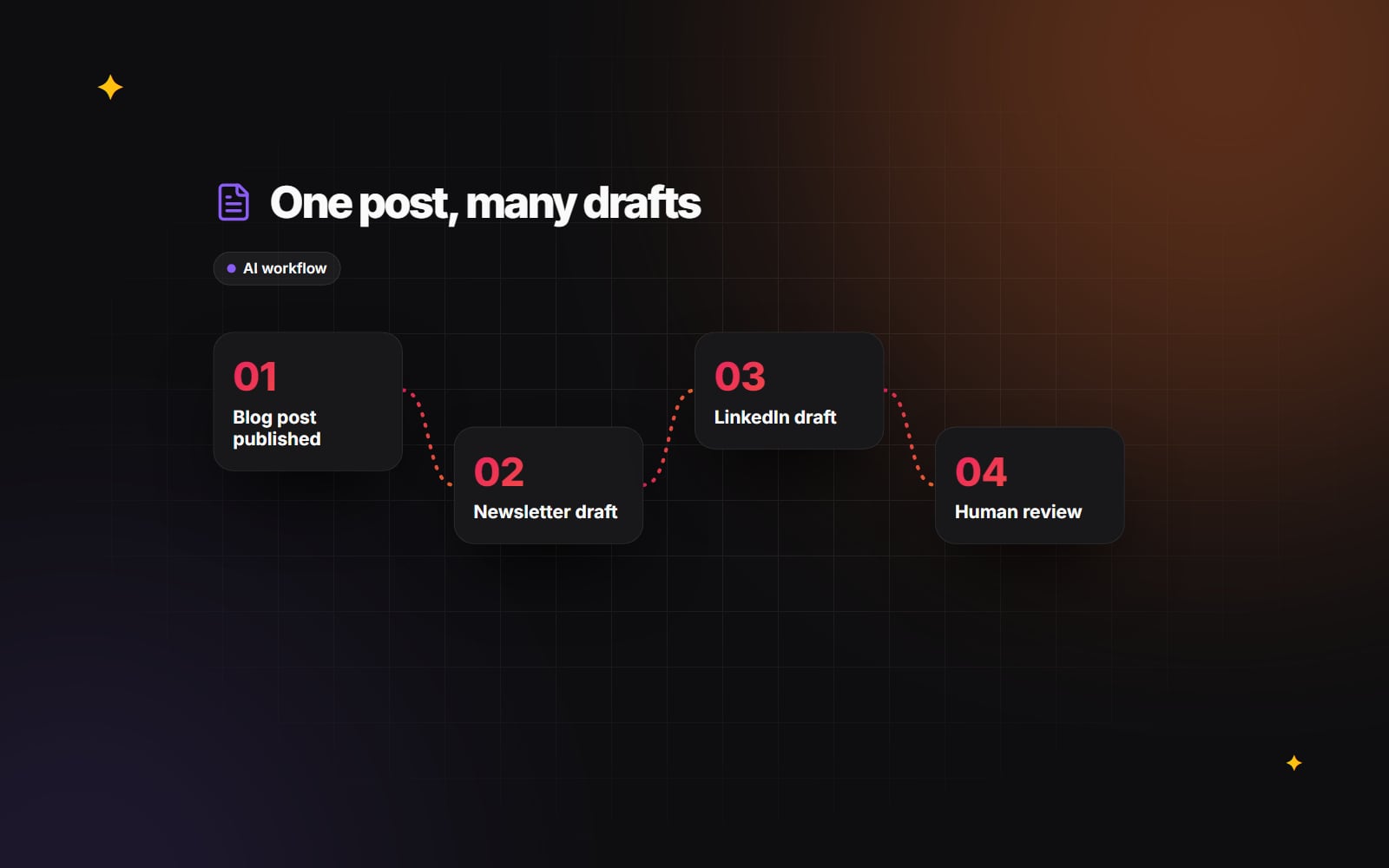
1. Detect the new post
The simplest trigger, and one that works almost everywhere, is your blog's RSS feed. Zapier, Make and n8n can all watch a feed for new items. If your CMS can send a webhook when a post is published, that works too and fires sooner. A webhook usually also gives you the full article body instead of just an excerpt.
2. Get clean text
Language models work better with plain text than with raw HTML. Strip scripts, navigation and styling, and keep the headings, paragraphs and lists. Most automation platforms have a built-in step that converts HTML to text or Markdown. If yours doesn't, a short code step can do it.
3. Write one prompt per channel
One generic prompt ("repurpose this article") produces flat, similar-sounding copy. Use a separate prompt for each format, and give every prompt the same ground rules. For example:
Rules for every prompt:
- Use only facts, figures and examples that appear in the article.
- Do not add statistics, quotes or claims of your own.
- Write in British English, in a plain, direct tone.
- No hashtags unless asked. No emojis.

Newsletter prompt:
Summarise the single most useful idea in this article for a busy reader.
Three short paragraphs, then one sentence inviting them to read the full post.

LinkedIn prompt:
Pick one practical takeaway from this article.
Write a post of up to 150 words: an opening line that states the point,
three short supporting lines, and a closing question.
The "use only facts from the article" rule matters. AI models are fluent at inventing plausible numbers, and a made-up statistic in your newsletter damages trust more than a dull sentence does.
4. Save drafts, not posts
Send each output to the tool where it will eventually be published, as a draft:
- 1 Create a draft email or a draft newsletter section in your email platform.
- 2 Add the social copy to your scheduling tool as a draft or to an approval queue, not straight into the publishing schedule.
- 3 Post a message in your team chat saying the drafts are ready, with links to the original article and to each draft.
Keep a person in the loop
The point of the workflow is to skip the blank page and the copying between tools. It doesn't replace editing. Before anything is published, someone should:
- 1 Compare every fact, number and name in the draft against the article.
- 2 Rewrite the opening so it sounds like your brand, not a template.
- 3 Cut anything that overstates what the article says.
- 4 Check that links point to the right URL and that tracking parameters are correct.
- 5 Approve the draft, or reject it so it's never scheduled.
If the team keeps rewriting the same thing, such as an opening that is too salesy, change the prompt rather than fixing it by hand every time.
Things that go wrong
- Duplicate runs: a feed that republishes, or a post that is updated after publishing, can trigger the workflow twice. Store the post URL or ID and skip any you've already processed.
- Truncated input: some feeds only include an excerpt. If the drafts look thin, check that the full article body is getting through.
- Sensitive content: if an article mentions client details that aren't public, keep it out of the workflow, or check that your AI provider's data terms are acceptable for that content.
- Every channel sounding the same: if the LinkedIn post and the newsletter read alike, the prompts aren't different enough. Give each one a different job, not just a different length.
- Silent failures: API calls time out. Set the platform to alert you when a run fails, so a post doesn't go unshared without anyone noticing.
Structured data and AI answers
Some guides suggest generating FAQ markup automatically for every post. Be careful with this. Google limits which sites are shown FAQ rich results, and markup that doesn't match the visible content of the page goes against Google's guidelines. A clear, well-structured article does more for visibility, in search and in AI tools, than extra markup. Our guides to schema markup and getting mentioned in AI answers go into more detail.
Where to start
- 1 Pick two channels you already use regularly, such as your newsletter and LinkedIn.
- 2 Write and test the prompts by hand on three or four recent articles until the drafts need only light edits.
- 3 Build the trigger and draft-creation steps in your automation platform.
- 4 Run it on new posts for a month, with every draft reviewed before it's published.
- 5 Add another channel only once the first two run reliably.
If you'd like help connecting your CMS, AI model and email or social tools, our AI automation and integrations team builds workflows like this, including on HubSpot workflows. Get in touch and tell us which channels you use.
Planning something similar?
Tell us what you're building and we'll come back with ideas and next steps.