When you need a HubSpot integration developer.
When off-the-shelf connectors are not enough: private apps, HubSpot APIs, custom objects, webhooks, ERP and e-commerce sync, and how to test them.
HubSpot connects to a lot of tools out of the box, and automation platforms fill many of the gaps. But some businesses reach a point where off-the-shelf connections stop fitting: the data model is too specific, the volumes are too high, or the systems involved have no ready-made connector. That is when a HubSpot integration developer earns their place. This article explains what the work involves, when it is worth doing, and how to plan and test it.
Start with the simpler options
Before commissioning custom HubSpot API work, check whether an existing route will do the job.
- HubSpot App Marketplace: many common tools have an official or third-party app, some with two-way data sync.
- Automation platforms such as Zapier, Make or n8n can move data between systems without code. Our comparison of automation platforms covers how they differ.
- Workflows inside HubSpot, including webhook actions and custom code actions on the relevant paid tiers, can handle simple calls to other systems.
These are often the right answer for low volumes and simple mappings. We describe some typical examples in HubSpot and Zapier automations every website should have.
Signs you need a HubSpot integration developer
- The other system has an API but no HubSpot connector.
- You need two-way sync with rules about which system wins when records conflict.
- Records must be matched on something other than email address, such as a customer number or account ID.
- Your data does not fit contacts, companies, deals and tickets, and needs custom objects.
- You are moving large numbers of records and need batching, retries and error logs.
- The integration handles sensitive data and needs tighter control than a shared automation account offers.
- Automations have grown into a tangle that no one fully understands.
The building blocks
Private apps and authentication
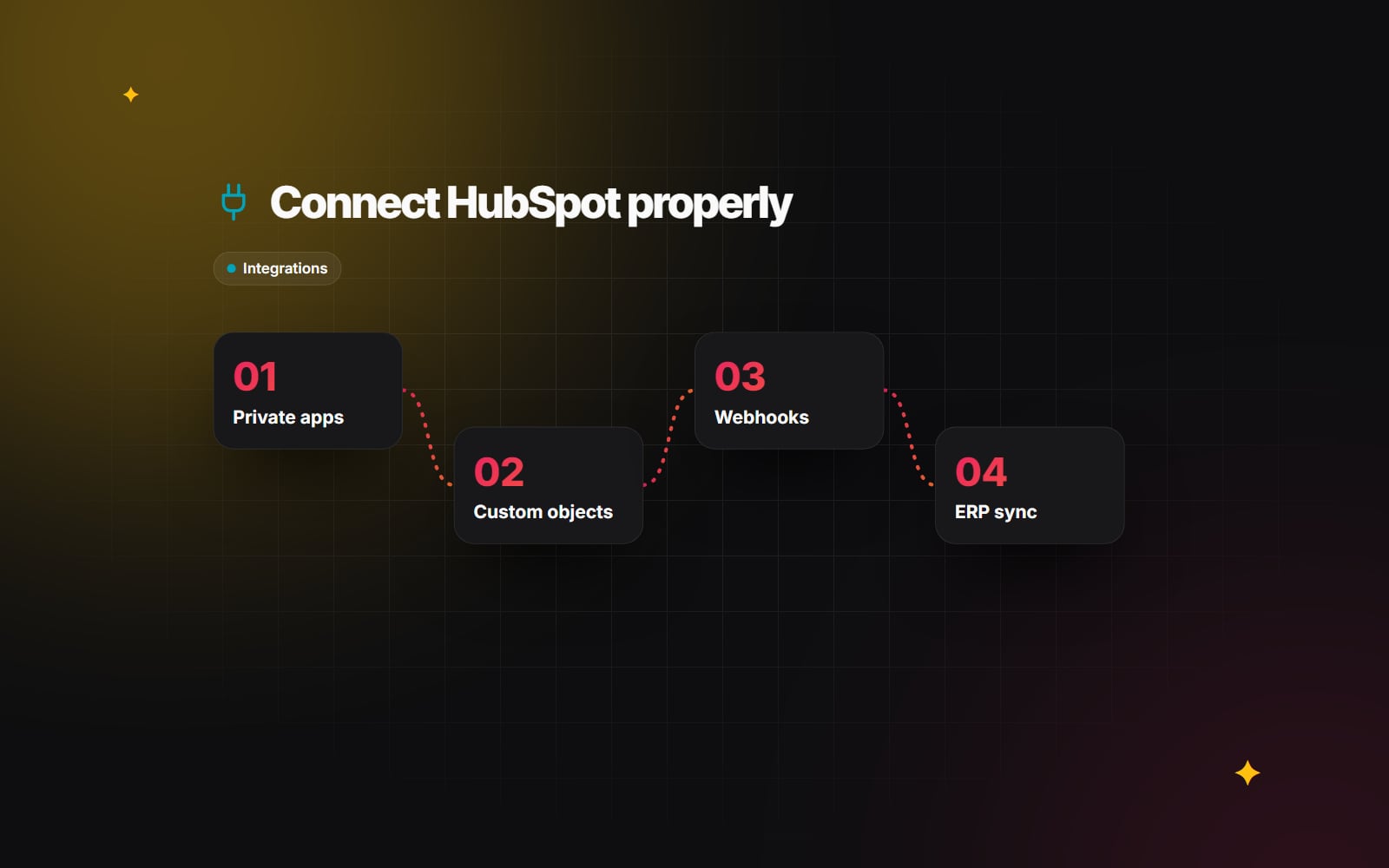
For integrations with a single HubSpot account, developers usually use a private app. It provides an access token with a defined set of scopes, such as reading contacts or writing deals. A good integration requests only the scopes it needs, stores the token securely on the server, and rotates it if it is ever exposed. Integrations meant for many HubSpot accounts use public apps with OAuth instead. HubSpot has been moving app development onto its projects-based developer platform, so check the current developer documentation for the recommended way to create a new app.
CRM APIs
HubSpot's APIs let a developer create, read, update and search CRM records, manage associations between them (for example, linking a deal to a company and its contacts), and work with properties, pipelines and owners. Batch endpoints allow many records to be handled per request, which matters because HubSpot applies rate limits. A well-built integration respects those limits, backs off when it hits them, and retries failed requests safely.
Custom objects
Custom objects let you store data that does not fit HubSpot's standard objects: subscriptions, vehicles, properties, shipments, licences. They have their own properties and can be associated with contacts, companies and deals, and used in workflows and reports. Custom objects are available on Enterprise tiers, so check your subscription. Design the schema carefully at the start, because changing it later affects every system that writes to it.
Webhooks
Rather than repeatedly asking HubSpot whether anything has changed, an integration can subscribe to webhooks. HubSpot then sends a request to your endpoint when, for example, a contact is created or a deal stage changes. The receiving service should verify the request signature, respond quickly, and process the work in a queue so that bursts of events do not overload it. The other system may offer webhooks too, which keeps both sides up to date without constant polling.
Common integration patterns
| Integration | Typical data flow | Things to decide |
|---|---|---|
| ERP or accounting system | Customers and invoices into HubSpot; won deals out to the ERP | Which system owns customer details; how to match accounts |
| E-commerce platform | Orders, products and customers into HubSpot | Whether orders become deals, line items or a custom object |
| Internal database or product | Usage or account data into HubSpot properties | How often to sync; which fields sales actually needs |
| Support or booking tool | Tickets or appointments linked to contacts | How to match people; what triggers notifications |
If the other side is an older system with limited APIs, a small middle layer can translate between the two. Our article on API-first architecture for legacy systems covers this approach.
Planning an integration
The code is often the smaller part of the job. The larger part is agreeing what data moves, in which direction, and what happens when things go wrong. A useful plan answers:
- Which objects and properties are synced, and which system is the source of truth for each.
- How records are matched, and what happens with duplicates.
- Whether sync is real-time (webhooks), scheduled, or triggered by a user action.
- How historical data is loaded the first time.
- Where errors are logged and who is told when sync fails.
- What personal data is moved, and whether that fits your privacy obligations. Take advice from whoever handles data protection in your business.
Testing
Integrations fail in ways that are hard to spot, such as a property silently not updating, so testing needs to be deliberate.
- Use a developer test account or a sandbox, not your live portal, during development.
- Test with realistic data, including missing fields, unusual characters and very long values.
- Test conflicts: the same record changed in both systems at once.
- Test failure: the other system offline, an expired token, a rate limit response.
- Run the initial data load on a copy first and compare record counts on both sides.
- Keep automated tests for the mapping logic so later changes do not break it. Our automated testing guide covers the general approach.
Checklist: commissioning a HubSpot integration
- 1 List the systems involved and what each one is responsible for.
- 2 Check the App Marketplace and automation tools for an existing route.
- 3 Write down every object and property to sync, with its direction.
- 4 Choose the matching key for each object.
- 5 Decide whether custom objects are needed and confirm your tier.
- 6 Create the private app under a company-owned account with minimum scopes.
- 7 Set up a sandbox or developer test account for building and testing.
- 8 Agree how errors are logged and who is notified.
- 9 Test with realistic data, conflicts and failures.
- 10 Run the historical load on a copy, then on the live portal.
- 11 Document the mapping, credentials location and how to pause the sync.
Web Canvas builds HubSpot integrations as part of our AI automation and integrations work. If you have systems that need to talk to HubSpot and want to work out the right approach, get in touch.
Planning something similar?
Tell us what you're building and we'll come back with ideas and next steps.