5 HubSpot & Zapier automations every website should have.
A form submission shouldn't end with a generic thank-you page. Here are five HubSpot and Zapier automations that turn website enquiries into qualified pipeline.
Here is a painful scenario we see constantly during agency audits: a business invests $25,000 into a gorgeous website redesign and drives hundreds of qualified B2B visitors to their landing pages with search and social ads. A prospect fills out the demo request form on a Tuesday at 2:15 PM.
What happens next? A generic notification email sits in a shared info@company.com inbox. Nobody checks it until Wednesday morning. By 11:30 AM, a sales rep finally crafts a manual email asking to schedule a call. By then, 21 hours have passed. The prospect has already booked a discovery call with a competitor who answered them in three minutes.
Research on lead response times — most famously the MIT and InsideSales.com Lead Response Management study — found that the odds of reaching and qualifying a lead fall sharply after the first few minutes. The exact numbers vary by industry, but the lesson is consistent: the faster you respond, the more conversations you win. Your website should not stop working the second someone hits "Submit".
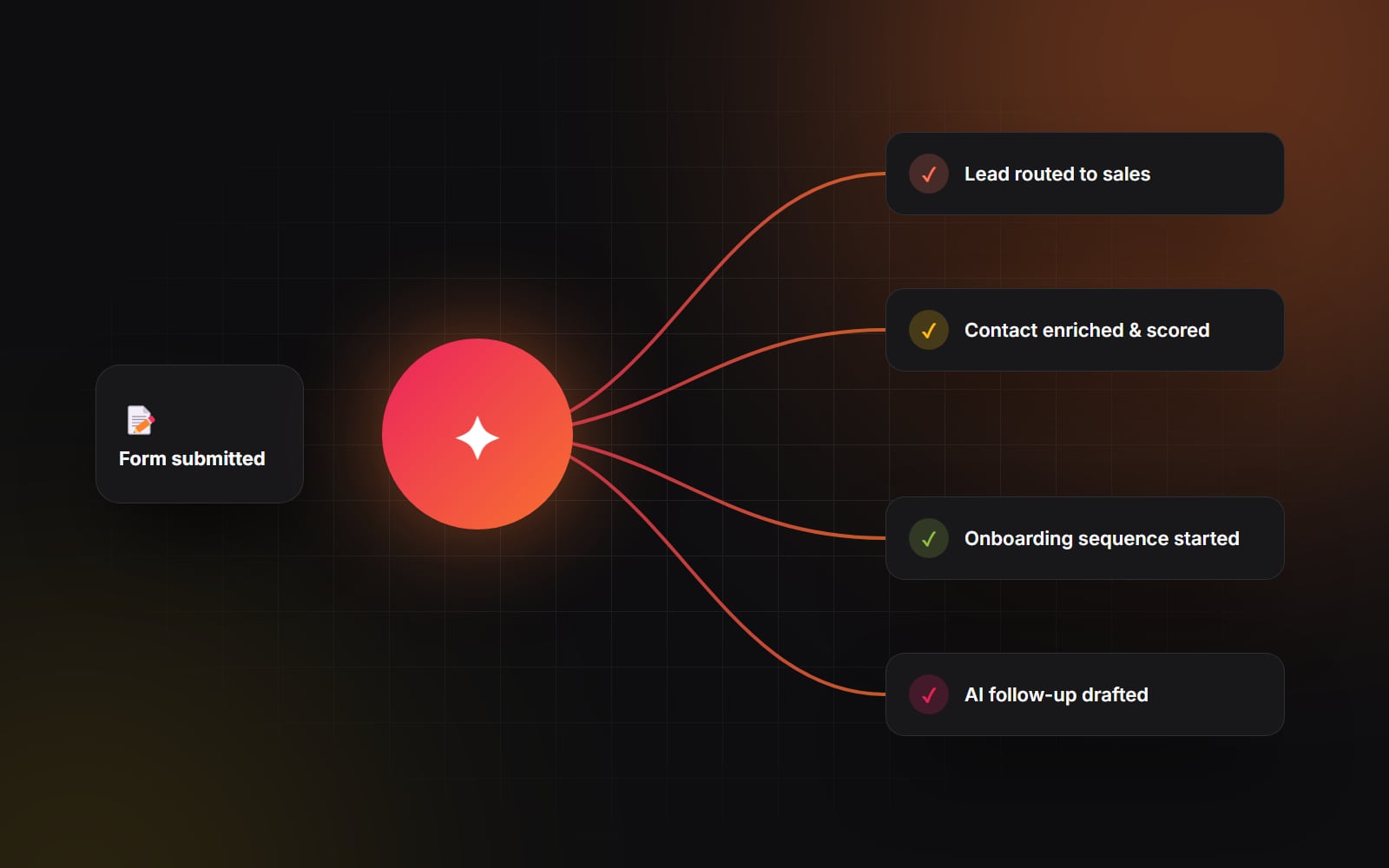
By connecting HubSpot workflows with smart Zapier or Make webhooks, you can transform your website from a passive digital brochure into a 24/7 lead routing and conversion engine. Here are the five essential automations we deploy on virtually every client project.
1. Instant intelligent lead routing with Slack and SMS alerts
Standard form notification emails are where high-intent leads go to die. They get buried under newsletter subscriptions, spam, and calendar invites. You need real-time operational visibility.
How the automation works
When an inbound form is submitted, a HubSpot workflow inspects the submitted properties (such as company size, requested service, or budget range) and instantly branches:
-
High-tier enterprise leads ($10k+ budget or 100+ employees): The contact is instantly assigned to a senior account executive in HubSpot CRM, and a formatted webhook posts directly to a dedicated
#sales-inbound-urgentSlack channel tagging the rep with the prospect's LinkedIn profile, company name, and project notes. - Mid-market or standard inquiries: Leads are round-robined evenly across junior reps to ensure fair distribution and immediate follow-up.
- After-hours submissions: If an urgent request comes in on a weekend, Zapier triggers an SMS notification via Twilio directly to the on-call sales manager. Many teams also reply on WhatsApp — see connecting WhatsApp to HubSpot.
2. Automated contact enrichment and lead scoring
Nobody likes filling out 14-field lead forms. If you ask visitors for their job title, annual revenue, tech stack, and phone number upfront, your conversion rates will crater. You want short forms that capture just an email and a name — but sales reps need rich contextual data to have a productive conversation.
How to enrich leads automatically
The moment an email address hits HubSpot, a workflow passes the domain to an enrichment tool — HubSpot's own Breeze Intelligence (formerly Clearbit), or Clay or Apollo via Zapier. Within seconds, the CRM contact record is populated with:
- Company headcount, industry vertical, and estimated annual revenue.
- The prospect's verified LinkedIn profile and confirmed seniority level.
- The company's primary technologies (e.g., whether they currently use Shopify, WordPress, or Salesforce).
HubSpot Lead Scoring calculates a score based on these firmographic signals combined with website behavioral telemetry (e.g., whether they visited your pricing page twice). Sales reps walk into discovery calls armed with full intelligence, without making the visitor jump through friction-heavy form fields.
3. Intelligent post-submission onboarding and nurture journeys
A generic "Thanks, we received your message and will be in touch shortly" email is a wasted opportunity. The moment someone submits a form is the peak moment of their curiosity and intent.
Designing high-conversion sequences
Instead of a sterile auto-responder, build a dynamic HubSpot email sequence tailored to the specific form topic:
-
1
Instant confirmation (0 minutes): Send a personalized plain-text email from an actual team member (not a
noreply@address) confirming receipt, explaining exactly what happens next, and providing a direct HubSpot Meetings link so high-intent prospects can book immediately without waiting for back-and-forth emails. - 2 High-value asset delivery (24 hours): If no meeting has been booked yet, automatically follow up with a highly relevant case study or breakdown video matching the specific service they inquired about.
- 3 The friendly check-in (72 hours): If they haven't responded or booked, a short, human follow-up goes out asking if they have any initial questions before planning their project timeline.
4. Bi-directional data sync across your billing and operational stack
When a lead converts into a paying customer, what happens in your internal systems? If your team is manually copying customer names and billing addresses from HubSpot into Stripe, QuickBooks, Notion, or ClickUp, human error is guaranteed.
By wiring HubSpot deal stage changes to Zapier:
- When a deal status changes to "Closed Won" in HubSpot, Zapier instantly generates a customer profile and draft invoice in Stripe or QuickBooks.
- A dedicated client onboarding channel is spun up in Slack with a pre-formatted welcome briefing.
- A client dashboard project board is automatically created from a standardized template in Notion, Asana, or ClickUp, pre-populated with deliverables, deadlines, and assigned team members.
Your team skips the copy-and-paste admin on every new client, and nothing is missed.
5. AI-assisted lead summarization and draft replies
Writing personalized first responses takes time. When a prospect submits a complex paragraph describing their technical requirements, reps can spend a long time reading the brief and drafting an answer.
With modern HubSpot AI assistants or Zapier OpenAI integrations, you can streamline this workflow while keeping human judgment firmly in the loop (the same principle applies to customer-facing AI chat):
- When a long-form inquiry arrives, an automation sends the message text to an internal LLM prompt configured with your agency's service matrix and tone of voice guidelines.
- The AI drafts a concise 3-bullet summary of the prospect's key pain points and writes a polished, contextual draft reply.
- The draft is saved on the contact record as a private note.
- The sales rep reviews the draft, adjusts the details and sends it in a fraction of the time.
Automation should never replace human connection — it should remove repetitive administrative friction so your team can focus on building authentic relationships.
Where to start: pick the one bottleneck that hurts the most
Don't try to build all five automations on a single Monday morning. Complex, sprawling automation setups built all at once become brittle quickly. Start by identifying the single biggest friction point in your current customer journey:
- 1 Are leads waiting more than an hour for a reply? Build instant Slack alerts and automated meeting booking links first.
- 2 Is sales wasting time researching unqualified leads? Set up lightweight enrichment and lead scoring.
- 3 Is client onboarding eating up project management bandwidth? Connect closed-won deals to your project management software.
At Web Canvas, our AI Automation & Integrations service helps growing brands design and set up HubSpot workflows and Zapier automations that keep every lead moving. If you're ready to automate the busywork, let's look at your stack together.
Planning something similar?
Tell us what you're building and we'll come back with ideas and next steps.