Connecting WhatsApp to your CRM: turn chats into a pipeline.
Many customers would rather message than email. Here's how to connect WhatsApp to HubSpot so every chat is logged, shared and followed up.
If you run a B2B business, consulting firm, or high-ticket service agency operating across Europe, Latin America, the Middle East, or Asia, you already know this reality: your clients do not want to wait for email replies. They communicate on WhatsApp all day long.
Yet in most companies, WhatsApp communication remains a chaotic operational black hole. Sales reps conduct high-stakes client negotiations on their personal iPhones. Deals progress in private WhatsApp threads that nobody else on the team can see. If a sales representative leaves the company, years of client relationship history, negotiation notes, and customer agreements vanish overnight with them.
Meanwhile, marketing teams send marketing emails that sit unopened in spam filters, while urgent sales leads waiting on WhatsApp go unlogged in the CRM.
Bridging this gap by connecting WhatsApp Business to HubSpot CRM is one of the most useful changes an international business can make. Here is how the integration works, how to set it up properly, and how it transforms your inbound pipeline.
Why WhatsApp is the ultimate conversion channel
The communication metrics between legacy corporate channels and modern direct messaging speak for themselves:
- Email: open rates are hard to measure reliably since Apple's Mail Privacy Protection, and replies to business emails often take a day or more.
- WhatsApp: messaging providers commonly report open rates above 90%, and most messages are read within minutes.
When high-intent prospects have a technical question or need a quote revised, a quick voice note or 30-second WhatsApp message is usually far quicker than a chain of formal emails.
What the HubSpot + WhatsApp Business integration actually unlocks
Connecting the official WhatsApp Business API to your HubSpot portal is not just about sending messages from a desktop browser. It turns WhatsApp into a fully automated, synchronized CRM channel:
1. A unified, shared team inbox inside HubSpot
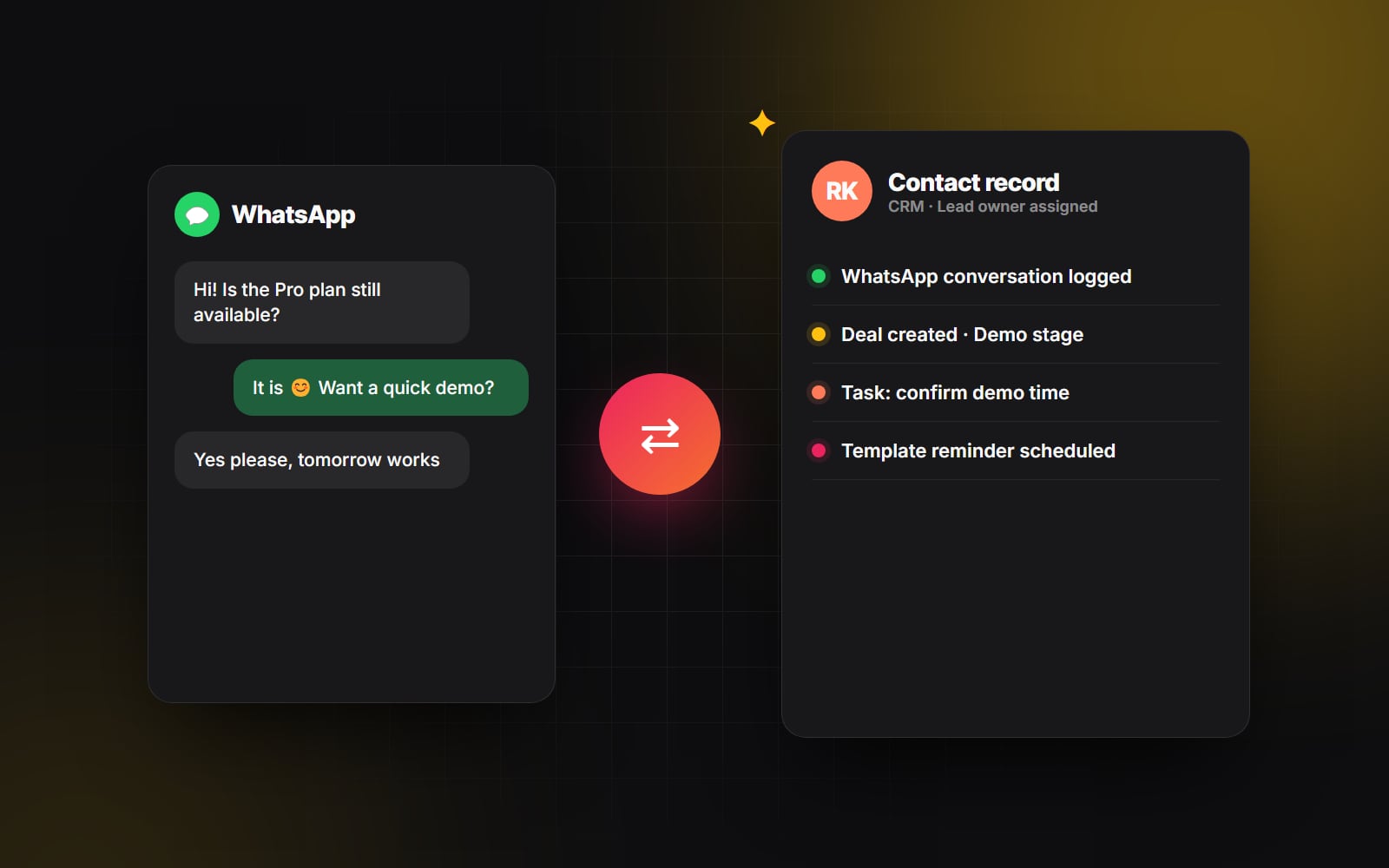
Every inbound WhatsApp conversation appears directly inside HubSpot's centralized Conversations Inbox. Multiple team members can view the thread, assign conversations to specific account executives, leave internal private notes for colleagues, and reply directly from the HubSpot desktop dashboard or mobile CRM app without sharing physical devices.
2. Complete conversation history logged on the Contact Timeline
Every text message, image, PDF document, and voice note sent or received via WhatsApp is automatically logged chronologically on the contact's CRM timeline. When a manager reviews an active deal, they have complete visibility into every customer touchpoint across email, phone calls, and WhatsApp.
3. Automated WhatsApp workflows and instant lead notifications
You can leverage WhatsApp as an automated action inside standard HubSpot Workflows (more ideas in five automations every website should have):
- When an inbound form is submitted on your website, automatically trigger an instant WhatsApp message to the prospect: "Hi Alex, thanks for requesting our pricing guide! Here is the direct PDF link. Would you like to schedule a quick 10-minute discovery call this week?"
- Send automated appointment reminders 2 hours before a scheduled Zoom consultation to reduce no-shows.
- Re-engage cold leads with targeted, personalized WhatsApp updates when new service slots or product updates become available.
Step-by-step: how to architect the integration properly
To avoid compliance issues and ensure smooth team adoption, follow this implementation roadmap:
- 1 Register a dedicated corporate business phone number: Never connect a personal phone number. Get a dedicated virtual or VoIP number (via Twilio, Bird or a local carrier) for WhatsApp Business. It can't also be registered in the regular WhatsApp app.
- 2 Complete Meta Business Verification: Ensure your Meta Business Manager account is officially verified with proper legal entity documentation, utility bills, and official domain matching.
- 3 Connect via HubSpot's Native Integration or Certified Partners: Connect your number using HubSpot's native WhatsApp integration (available on Professional and Enterprise plans — check HubSpot's current requirements) or via verified marketplace partners like Wati or ManyChat depending on your specific regional requirements.
- 4 Establish clear messaging guardrails and response SLAs: Train your sales and customer success teams on proper WhatsApp communication etiquette. Set automated out-of-office autoreplies outside standard business hours so prospects always know when to expect a human response — or add an AI assistant that answers routine questions around the clock.
In sales, speed to lead is everything. Moving your highest-intent customer conversations from overflowing email inboxes into WhatsApp builds immediate rapport and closes deals faster.
The bottom line: meet your customers where they already are
Modern customers don't want friction. They don't want to log into cumbersome customer portals, fill out 10-field contact forms, or wait three days for an email reply. By connecting WhatsApp directly to HubSpot, you give your clients the instant communication channel they crave while giving your business the structured CRM oversight and automated reporting it needs to scale.
Need help integrating WhatsApp into your HubSpot workflows and website lead funnels? At Web Canvas, our AI Automation & Integrations specialists architect clean CRM pipelines that turn conversations into revenue. Let's connect your stack today.
Planning something similar?
Tell us what you're building and we'll come back with ideas and next steps.