Figma to HubSpot: designing without platform limits.
Designers are often told “HubSpot can't build that layout.” With custom modules and the HubSpot CLI, it almost always can — here's how we keep designs intact.
Every digital designer has felt this sting: you spend four weeks perfecting a high-fidelity Figma design — crafting balanced modular typography, subtle micro-interactions, asymmetrical responsive grids, and clean component states. The client signs off excitedly. Two months later, you see the staging site on HubSpot, and it looks like a generic corporate template from 2017.
The margins are blown out. The custom typography is replaced with default web fonts. The interactive tab selector was scrapped in favor of a standard accordion list. When you ask why, the agency or developer sighs: "HubSpot's page builder just doesn't support that."
Here is our candid view at Web Canvas: HubSpot is not what limits your design — building on top of pre-made marketplace themes is what limits your design. When you build HubSpot themes from the ground up using modern local developer tooling, there is virtually nothing in a Figma file that cannot be translated into HubSpot faithfully.
Why custom Figma designs break in standard HubSpot builds
Most companies get their start on HubSpot CMS by purchasing a pre-built marketplace theme. For simple brochure sites with standard two-column sections, marketplace themes work fine. But the moment you attempt to mold a bespoke brand identity into someone else's pre-packaged architecture, friction begins.
Off-the-shelf modules are built to be everything to everyone. To achieve that generality, their codebase is packed with inline style overrides, opinionated container constraints, and rigid field structures. When an in-house developer tries to force your bespoke Figma card component into a marketplace "Feature Box" module, they are constantly fighting somebody else's CSS cascade.
The developer ends up writing desperate !important tags to override fixed widths, or they ask the design team to water down their creative work. Over time, the website turns into an unmaintainable patchwork of hacky code snippets and broken mobile layouts.
The modern workflow: HubSpot CLI and custom module architecture
HubSpot's developer tooling has matured a lot, with the HubSpot CLI (@hubspot/cli) at its centre. Instead of clicking around inside the browser-based Design Manager, our engineers build HubSpot themes exactly like modern web applications: locally in VS Code, with TypeScript, Tailwind CSS, Git version control, and CI/CD deployment pipelines.
Here is what happens when you build bespoke themes around Figma components:
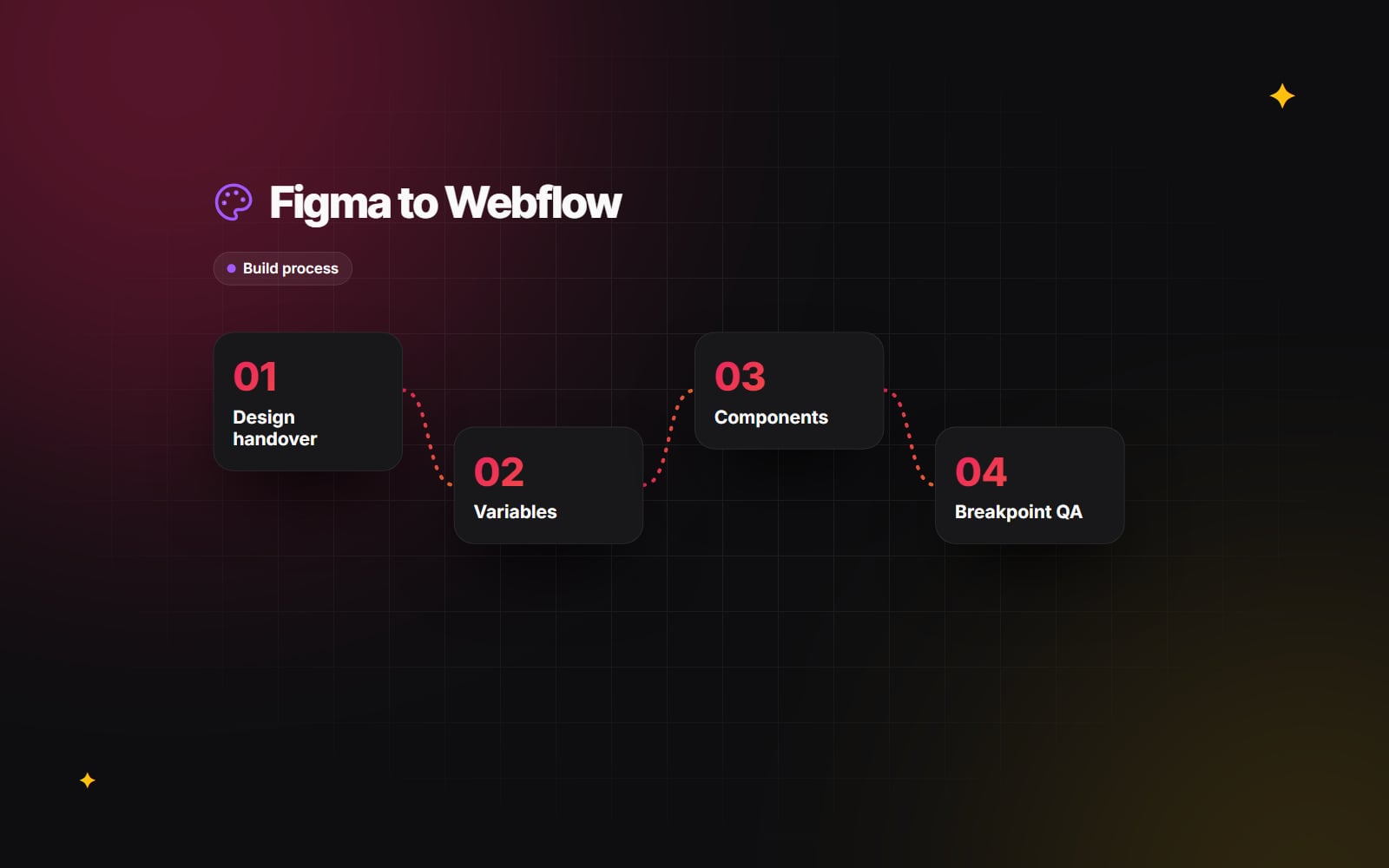
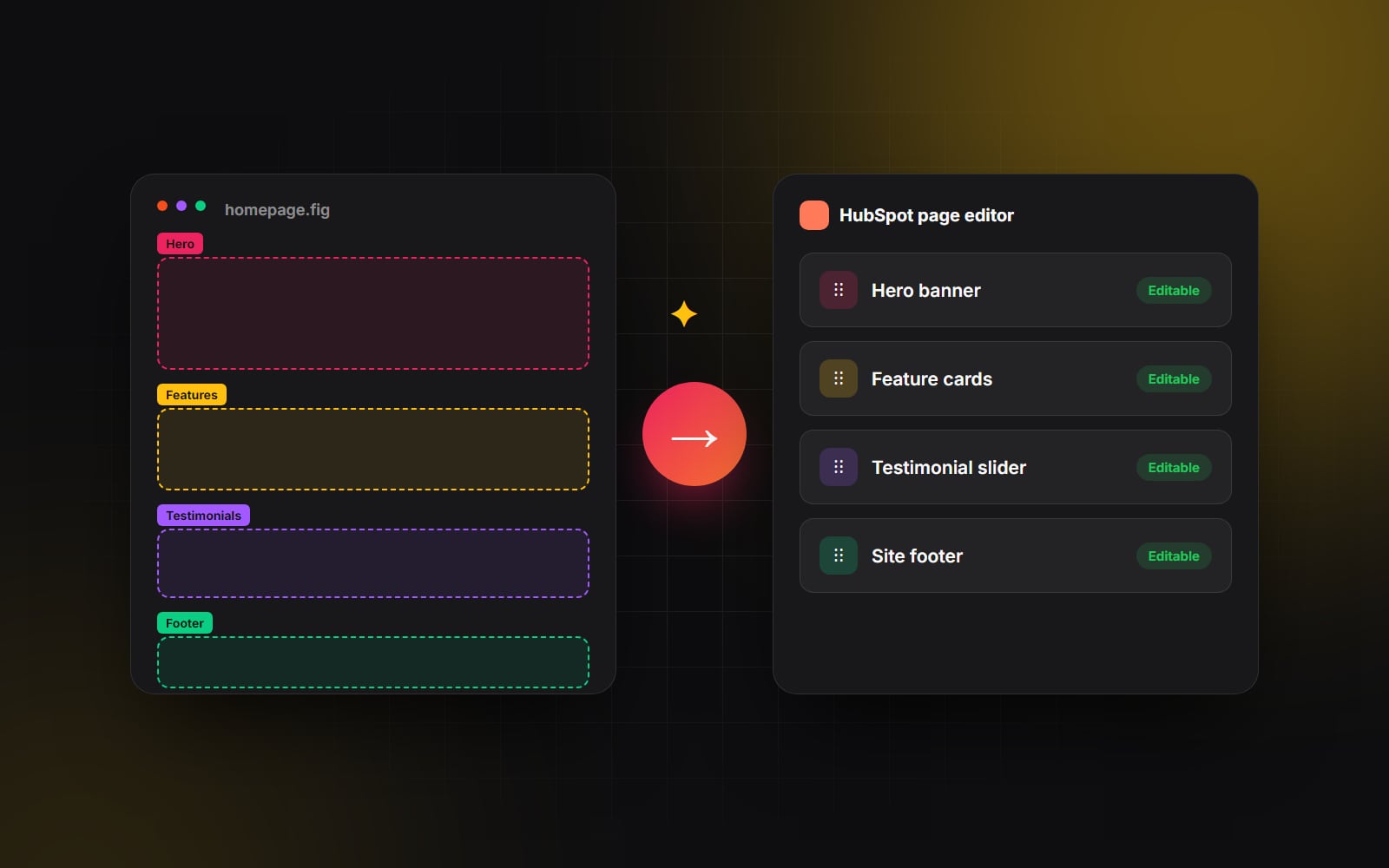
1. 1:1 parity between Figma components and custom modules
In Figma, your design system is built around reusable components and auto-layout frames — navigation bars, hero layouts, stats grids, interactive testimonials, and comparison matrices. In our HubSpot codebase, each Figma component gets its own custom module folder. The key files are:
-
module.html: Clean semantic markup rendered with HubL (HubSpot's templating engine). -
module.css: Scoped styling using our design system tokens (type scale, spacing, border-radii). -
fields.json: The exact content fields that marketing editors see in the HubSpot sidebar.
2. Marketing teams get intuitive guardrails, not fragile free-for-alls
One of the biggest fears creative directors have is: "What happens when the client's marketing coordinator touches the page after launch?" With sloppy builds, editors accidentally delete columns or break layouts. By architecting custom fields in fields.json, we define clear guardrails.
Marketing teams get clean input fields: headline text, rich-text WYSIWYG boxes, image fields with sensible size settings, toggles for badge colors, and repeater fields for card grids. They can add, delete, and reorder cards all day long without ever having the ability to break responsive spacing or font hierarchies.
3. Custom animations match the Figma prototype
Whether your prototype includes Lenis smooth scrolling, subtle GSAP trigger-based reveals, or interactive filtering tabs, building custom modules allows us to bundle lightweight vanilla JavaScript or animation libraries directly into the theme asset pipeline. The live website feels as snappy and responsive as the Figma interactive prototype.
Actionable tips for UI/UX designers preparing files for HubSpot
If you are a design lead or UI/UX designer handing off a Figma project that will be built on HubSpot, following these four structural practices will save your team dozens of development hours:
- 1 Design in repeatable sections, not one-off full-page artboards: Think like an architect. Break the page into modular horizontal sections that can be stacked in different orders across multiple pages. A well-designed theme doesn't just build five pages — it gives the client a modular design system of 20+ interchangeable building blocks.
-
2
Standardize a strict spacing and typography token system: Resist the urge to use arbitrary padding values like
53pxon one card and67pxon another. Establish consistent spacing tokens (e.g., 16px, 24px, 32px, 48px, 80px) and a clear typographic scale. When your tokens are consistent, your developer can map them directly to CSS custom properties. - 3 Design the responsive breakpoints intentionally: Don't leave mobile and tablet states up to developer guesswork (see what mobile-first design really means). Show how complex 4-column card layouts stack on mobile, how tables behave on narrow viewports, and how sticky navigation bars collapse into accessible hamburger overlays.
- 4 Annotate dynamic versus static content: Clearly label which elements will be populated from HubSpot CRM data, HubDB tables or the blog (e.g., author bios, event listings, resource downloads) versus static marketing copy.
The most successful websites are born from total respect between design and engineering. Designers push creative boundaries, and developers build clean systems that make those boundaries effortless to maintain.
The end result: creative freedom meets enterprise marketing
When you stop treating HubSpot like a restrictive templating engine and start treating it as a flexible, developer-friendly CMS, the friction between creative vision and marketing execution disappears.
Your design team gets the pride of seeing their Figma prototype brought to life without compromise. Your marketing team gets a page editor they can use without waiting on developers. And the business gets a website that is connected to the CRM from day one. That's how we built the HubSpot sites for Inai and Appknox, both from the client's own Figma files.
At Web Canvas, bridging the gap between bespoke Figma systems and rock-solid HubSpot implementations is our bread and butter. If your team is gearing up for a custom website redesign on HubSpot, let's talk through your design system and build an architecture that does justice to your brand.
Planning something similar?
Tell us what you're building and we'll come back with ideas and next steps.