Password managers and two-factor authentication: security basics for small teams.
Most small-business breaches start with a reused password or a convincing email. A practical security set-up your team can finish in an afternoon.
Small businesses tend to assume they're too small to be a target. In practice, most attacks aren't aimed at anyone in particular. Automated tools try leaked passwords against thousands of logins, and phishing emails go out in bulk. A business is caught when an account happens to use a reused password or someone clicks the wrong link.
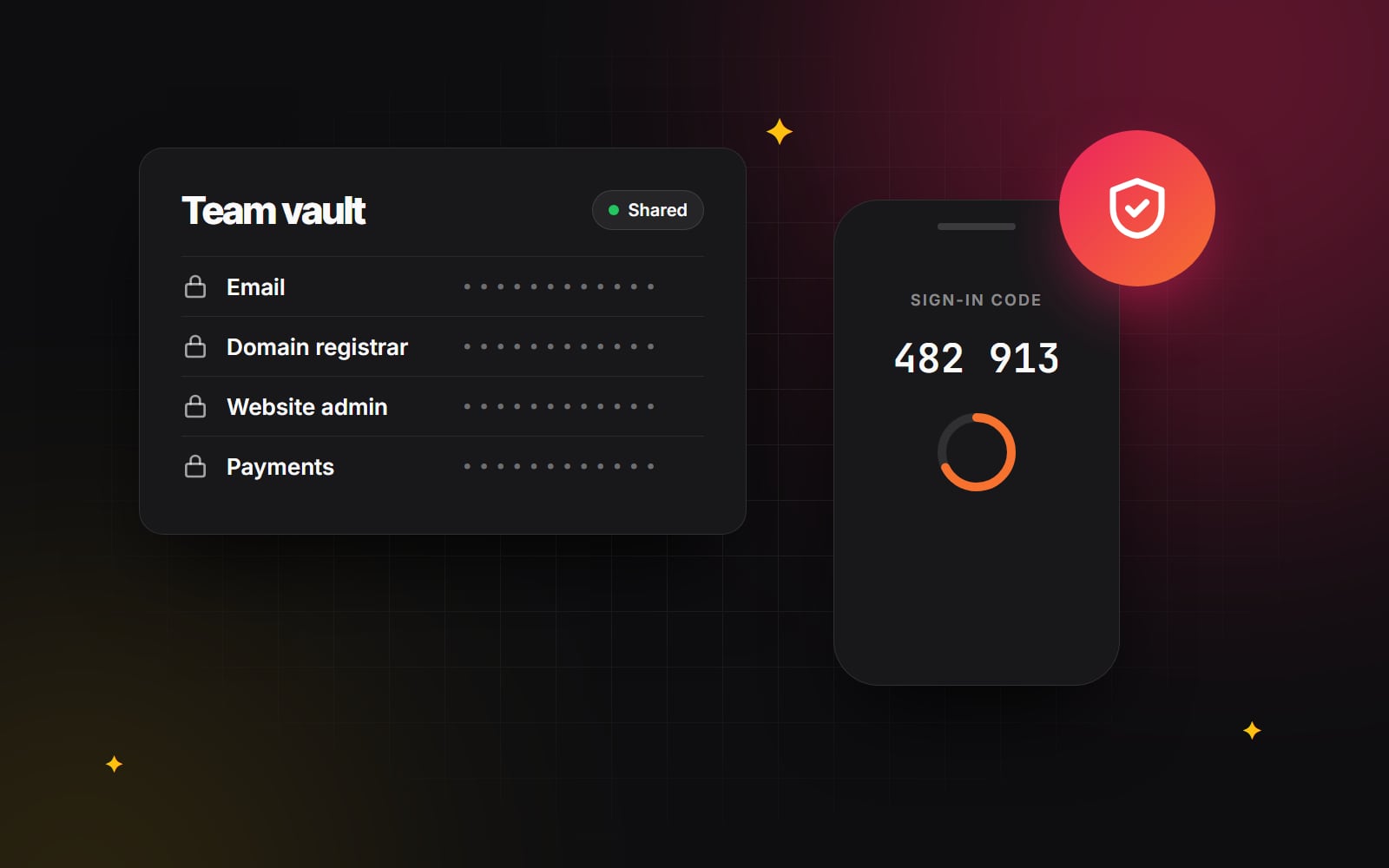
The good news is that two habits stop most of these attacks: a password manager, so every account has a unique password, and two-factor authentication on the accounts that matter. Neither needs an IT department. This guide shows how to set both up for a small team, plus what to watch for in your inbox.
Start with the accounts that matter most
Not every login carries the same risk. Protect these first:
- 1 Email. Your email account can reset the password of almost everything else, which makes it the most valuable account you have.
- 2 Domain registrar and DNS. Whoever controls these controls your website and email. Our guide to checking who owns your domain explains why.
- 3 Website hosting and your website's admin, whether that's WordPress, Shopify, HubSpot or Webflow.
- 4 Payments and banking, including any payment provider connected to your shop.
- 5 Google, Microsoft and social media accounts, including your Google Business Profile and advertising accounts.
Set up a password manager
A password manager creates and remembers a long, unique password for every account, so nobody on the team has to. Business plans from providers such as 1Password and Bitwarden add shared vaults, so the team can share logins without sending passwords over email or chat.
Current guidance has moved away from complicated rules. The US standards body NIST, for example, recommends long passwords over forced mixes of symbols, and advises against making people change passwords on a schedule unless there's a sign of compromise. A password manager makes length easy: let it generate the passwords and you never need to type them.
- 1 Choose one tool for the whole team and create a business account.
- 2 Create shared vaults by area (for example Website, Marketing, Finance) so people only see what they need.
- 3 Move shared logins in from spreadsheets, documents and notes, then delete the old copies.
- 4 Change any reused passwords, starting with the accounts listed above. Most password managers flag reused and weak passwords for you.
- 5 Install the browser extension and phone app for everyone, so using it is easier than not using it.
Turn on two-factor authentication
Two-factor authentication (2FA) means a login needs something you know (the password) plus something you have, usually your phone or a security key. Even if a password leaks, the account stays locked.
Not all methods are equally strong. From most to least secure:
- Passkeys and security keys. Supported by Google, Microsoft, Apple and a growing list of services. They're resistant to phishing because they only work on the real website.
- Authenticator apps such as Google Authenticator, Microsoft Authenticator, or the one built into your password manager. A good default for everything else.
- Text message codes. Better than nothing, but they can be intercepted if someone takes over your phone number. Use them only where nothing else is offered.
Learn the common scams
Many attacks don't break in. They persuade someone to let them in. These are the ones website owners see most often:
- Fake domain renewal notices. Official-looking letters or emails that say your domain is about to expire, from a company that isn't your registrar. Paying often moves the domain to them at a higher price. Only renew through your own registrar's website.
- Lookalike login pages. An email says your Microsoft, Google or Shopify account needs attention, and the link leads to a convincing copy of the login page. Instead of clicking, go to the website yourself by typing the address or using a bookmark.
- Urgent payment requests. A message that appears to come from a manager or supplier asks for a quick payment or new bank details. Confirm by phone, using a number you already have.
- Calls about your Google listing. Unsolicited calls claiming your Google Business Profile will be removed unless you pay. Google's own guidance warns about these; manage your profile only through your Google account.
Keep website access tidy
- 1 Give everyone their own login. Shared admin accounts make it impossible to see who changed what, or to remove one person's access.
- 2 Use the lowest role that does the job. On WordPress, for example, someone who writes blog posts needs an Editor or Author role, not Administrator. HubSpot and Shopify have similar permission settings.
- 3 Remove access the day someone leaves, including freelancers and agencies whose work has finished.
- 4 Keep the website updated and remove plugins and apps you no longer use, since out-of-date add-ons are a common way in.
- 5 Make sure you have backups you've tested, so that if something does go wrong you can recover. Our guide to backups that actually restore walks through it.
If something goes wrong
Even with good habits, accounts can be compromised. Having a plan makes the first hour much calmer:
- 1 Change the password of the affected account from a device you trust, and sign out all other sessions if the service offers it.
- 2 Check the recovery settings: the recovery email, phone number and any forwarding rules in your inbox, which attackers sometimes add to keep watching.
- 3 Change passwords for anything that shared the same password, and turn on 2FA where it was missing.
- 4 Tell your team so nobody acts on emails sent from the compromised account, and warn customers if they may have received something suspicious.
- 5 Check your website for unfamiliar admin users, pages or redirects, and restore from a clean backup if needed.
- 6 Report it where it's required. If personal data may have been exposed, data protection laws can set deadlines for telling the authorities and the people affected, so take advice promptly.
An afternoon well spent
None of this is complicated, and none of it needs a large budget. One afternoon with the team is usually enough to choose a password manager, move the important logins, turn on 2FA for email and the website, and remove old accounts. It's one of the most useful things a small business can do for its website.
When we build or look after a WordPress, Shopify or HubSpot website, we set up individual logins and sensible permissions from the start. If you'd like a second pair of eyes on how your website is set up, get in touch.
Planning something similar?
Tell us what you're building and we'll come back with ideas and next steps.