Moving to Shopify? The migration checklist we use.
Moving your store to Shopify? From customer passwords to redirect maps and inventory, here's the migration checklist we use to avoid lost sales and downtime.
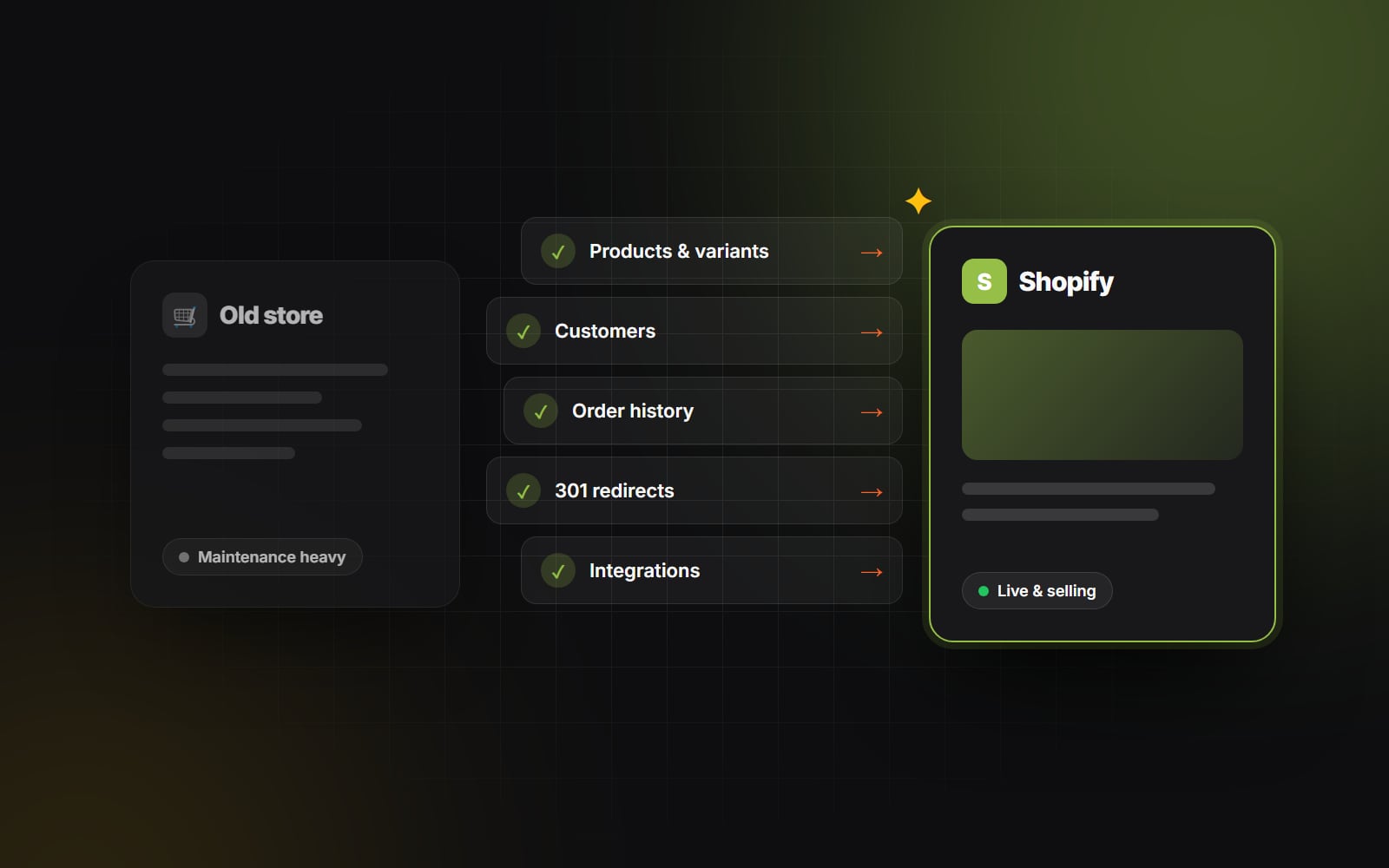
Migrating an active e-commerce brand to Shopify from WooCommerce, Magento, BigCommerce, or a bespoke custom platform is one of the highest-leverage operational moves a retail business can make. You gain a checkout that Shopify describes as the best-converting in the world, eliminate server maintenance, and give your marketing team the ability to launch campaigns without writing code.
However, an e-commerce migration is also a high-stakes surgical procedure. You are moving customer records, historical order receipts, product catalog taxonomies, SEO ranking equity, and financial reporting data across two fundamentally different database architectures.
A botched migration can result in lost customer accounts, broken payment gateways, ruined Google search rankings, and thousands of dollars in lost sales. Here is the checklist we follow at Web Canvas to keep a migration smooth and avoid downtime.
1. Catalog and data audit: clean house before you move
Never migrate bad data into a clean new store. An e-commerce platform transition is your single best opportunity to audit and clean your database.
Data migration essentials
- SKU and barcode standardization: Audit your product catalogue for duplicate SKUs, missing barcodes (UPCs/EANs), or mismatched variant naming conventions. Unique SKUs and barcodes keep inventory tracking and Google Merchant Center sync clean.
- Metafield architecture: Map out custom product specifications (such as fabric care, ingredient lists, technical dimensions, or downloadable manuals) into Shopify metafields (and metaobjects) rather than cramming them into the unformatted product description body — it makes richer product pages much easier to build.
- Customer password realities: Because passwords are stored as one-way hashes, customer passwords cannot be transferred between platforms. Prepare an account activation email inviting existing shoppers to set up their new account, ideally with a welcome-back incentive. (Shopify's newer customer accounts sign in with a one-time email code instead of a password, which avoids the problem altogether.)
- Historical order data: Migrate historical order records for customer service reference and customer lifetime value (LTV) reporting, but clearly flag migrated orders so they don't trigger duplicate accounting entries in your ERP or accounting software.
2. The technical SEO preservation blueprint
The single greatest financial risk during an e-commerce platform migration is losing organic search traffic. Platforms like WooCommerce, Magento, and Shopify format their URL structures completely differently:
-
WooCommerce typically structures products as
/product/leather-tote-bag/. -
Magento often uses deep category paths like
/accessories/bags/totes/leather-bag.html. -
Shopify uses fixed paths:
/products/leather-tote-bagand/collections/bags.
Because these URL patterns differ fundamentally, comprehensive 1:1 301 redirect mapping is non-negotiable. Our redesign SEO checklist covers the same principles in more depth.
Step-by-step SEO migration rules
- 1 Crawl your existing live site to extract every single indexable product, collection, blog post, and institutional page URL.
- 2 Map every legacy URL to its exact corresponding Shopify destination URL in a master CSV spreadsheet.
- 3 Upload the redirect map into Shopify's Online Store > Navigation > URL Redirects screen well before launch.
- 4 Preserve your core collection and product meta titles, meta descriptions, and image alt attributes so your on-page search intent remains consistent.
3. App stack consolidation: trimming the subscription bloat
Many legacy stores running on WooCommerce or Magento carry 30 to 50 third-party plugins accumulated over five years of quick fixes. Many of those plugins exist simply to patch native platform deficiencies.
When migrating to Shopify, audit your third-party software stack ruthlessly:
- What does Shopify do natively? Online Store 2.0 sections, gift cards, discount codes, Shopify Markets for multi-currency and built-in fraud analysis can replace several plugins on their own.
- Consolidate mission-critical integrations: Select best-in-class Shopify native applications for your core operational needs: Klaviyo for email/SMS marketing, Gorgias for customer support, Recharge for subscriptions, and Okendo or Judge.me for customer reviews.
- Prevent code contamination: Whenever possible, install modern Shopify apps that utilize Theme App Extensions rather than injecting unremovable JavaScript code directly into your theme's Liquid files.
4. Payment gateways, tax compliance, and shipping logistics
Your storefront can look flawless, but if your checkout pipeline hiccups on launch day, business grinds to a halt.
Pre-launch checkout verification
- Shopify Payments & Shop Pay: Complete your business entity verification and bank account connection early. Enable Shop Pay, Apple Pay, Google Pay, and PayPal to give customers maximum friction-free checkout choices.
- Regional sales tax configuration: Set up automated tax calculations (via Shopify Tax where it's available) to ensure accurate state, provincial, and country-level sales tax collection.
- Shipping zones and real-time rates: Replicate your domestic and international shipping matrices, dimensional weight rules, and free-shipping order thresholds. Test your shipping label printing workflows directly inside Shopify Shipping or your 3PL software (e.g., ShipStation, ShipBob).
5. The launch sequence: flipping the switch smoothly
When migration day arrives, execute your transition during your lowest-traffic window — check your analytics; for many stores it's early on a weekday morning:
- 1 Perform a final delta synchronization: Export any new orders and customer registrations that took place on the legacy store between your initial database export and launch night.
-
2
Update DNS A-records and CNAMEs: Point your domain's A-record to Shopify's IP (
23.227.38.65) and CNAME toshops.myshopify.com. - 3 Run live end-to-end test transactions: Place a real credit card order with actual currency, verify that confirmation emails fire, print a test shipping label, and process a test refund.
-
4
Submit updated sitemaps: Submit your new
/sitemap.xmlto Google Search Console and monitor 404 crawl errors closely over the first 72 hours.
A successful platform migration is measured by what your customers don't notice: no broken links, no downtime, and no lost orders — just a faster, cleaner shopping experience.
Planning to migrate your growing brand to Shopify? At Web Canvas, we handle end-to-end data migration, custom theme engineering, app consolidation, and SEO preservation so your revenue never misses a beat. Contact our e-commerce team to map out your migration timeline.
Planning something similar?
Tell us what you're building and we'll come back with ideas and next steps.