Hiring a Magento or Adobe Commerce developer.
Open Source vs Adobe Commerce, Hyvä, extensions, upgrades and certifications: what to know and ask before hiring a Magento developer.
Hiring a Magento developer is different from hiring for most other e-commerce platforms. Magento, now offered as Magento Open Source and Adobe Commerce, is a large PHP application with its own architecture, deployment process and upgrade cycle. A store can run well for years with the right care, or become hard to change if the code and extensions are not managed. This guide explains the main choices, the skills that matter, how Adobe's certifications work, and what to ask before you hire a Magento or Adobe Commerce developer.
Magento Open Source or Adobe Commerce?
Both editions share the same core. The differences are in licensing, features and hosting:
| Area | Magento Open Source | Adobe Commerce |
|---|---|---|
| Licence | Free to use under an open source licence | Paid licence from Adobe |
| Hosting | You choose and manage the hosting | Self-hosted, on Adobe's cloud infrastructure, or offered as a cloud service, depending on the plan |
| B2B features | Available through extensions or custom work | Built-in B2B module (company accounts, quotes, shared catalogues) |
| Merchandising and content | Core catalogue, Page Builder | Adds features such as customer segments and content staging |
| Support | Community and your developers | Adobe support, as set out in your agreement |
Adobe's packaging and hosting options have changed over time, so check the current details with Adobe directly. For a developer, the practical point is that Adobe Commerce adds modules and, on cloud plans, a specific deployment workflow. Someone who has only worked on Open Source may need time to learn those parts.
What does a Magento developer do?
- Builds and maintains the store front end, using either the default Luma theme approach or Hyvä.
- Writes custom modules for business rules the core does not cover.
- Evaluates, installs and configures extensions.
- Connects the store to ERP, stock, PIM, payment and fulfilment systems.
- Plans and carries out version upgrades and applies security patches.
- Works on performance: caching, indexing, search configuration and database health.
- Sets up and maintains deployment, so changes reach the live store safely.
Larger stores often need a mix of backend and front-end skills, and sometimes DevOps experience. One developer rarely covers everything to the same depth, so ask where each person's strengths lie.
Hyvä or Luma?
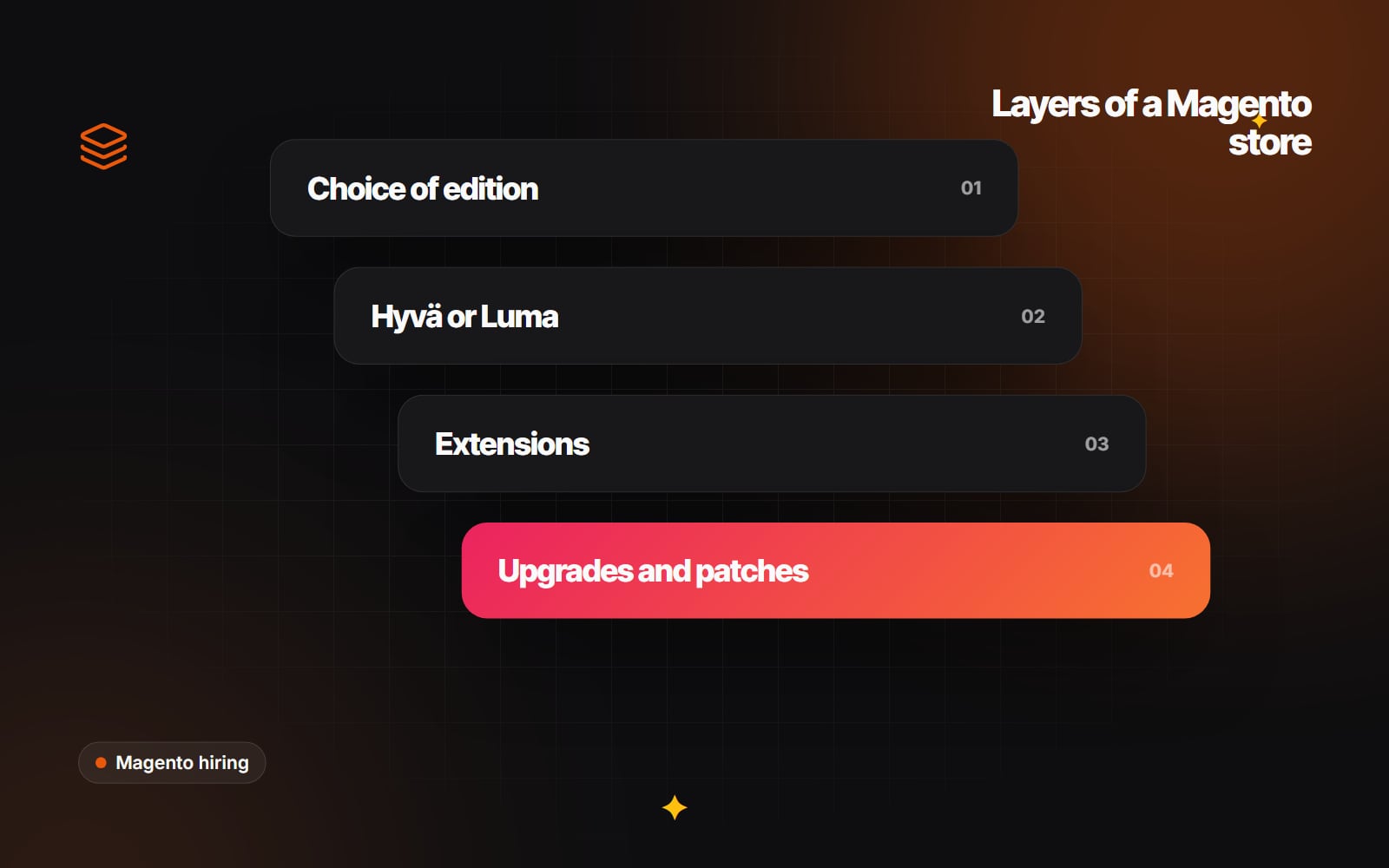
Magento's default front end, Luma, is built on older JavaScript tools such as RequireJS and Knockout, and can be heavy to load. Hyvä is an alternative theme that replaces that stack with a much lighter approach based on Alpine.js and Tailwind CSS. Many teams now choose Hyvä for new builds and front-end rebuilds because it tends to be easier to make fast and simpler to develop.
Moving to Hyvä is a front-end rebuild, not a setting. Extensions that add storefront features need Hyvä-compatible versions or adjustments, and the checkout is a separate decision. Hyvä's licensing and product range have also changed over time, so check the current terms on Hyvä's own site. A developer should be able to tell you which of your extensions already support Hyvä and what would need work.
Extensions: choose fewer, choose carefully
Extensions can save a lot of time, but each one adds code that must survive every upgrade. Poorly written extensions are a common cause of slow pages, upgrade problems and conflicts. A good Magento developer will:
- Check whether the feature already exists in core or in your edition.
- Look at the extension's code quality, maintenance history and compatibility with your version.
- Prefer extensions installed through Composer, so versions are tracked.
- Avoid editing extension or core code directly, using plugins, observers and preferences instead.
- Keep a list of every extension, its purpose and its vendor.
Upgrades and security patches
Adobe releases new versions and security patches for Magento Open Source and Adobe Commerce on a published schedule, and each release line has an end of support date. Staying on an unsupported version means missing security fixes. Upgrades can involve PHP version changes, search engine changes (for example the move to OpenSearch), and updates to every extension.
A developer should be able to assess the gap between your current version and the latest, list the extensions that need updating, and plan the upgrade on a staging copy before it touches the live store. If you are weighing an upgrade against a platform move, Magento or Shopify: should you stay, upgrade or move? sets out the questions to consider.
Adobe certifications
Adobe offers certifications for Adobe Commerce at different levels, generally described as Professional, Expert and Master, covering roles such as developer, front-end developer, back-end developer and architect. The exact names and exams change from time to time, and details are published on Adobe's Experience League.
A certification shows that someone has passed an exam on the platform's concepts. It is one useful signal among several. Real experience with stores like yours, a sensible process and clear communication matter as much. If certification is important to you, ask which ones the developer holds and check that they are current.
What to watch out for
- Edits to core files. Changes made directly in core or vendor code are lost or broken on upgrade.
- No staging environment. Magento changes should never be tested on the live store.
- No version control. Every code change should be tracked in Git and deployed through a defined process.
- Extensions with no owner. If nobody knows why an extension is installed, nobody can judge whether it can go.
- Integrations without documentation. ERP and stock connections are often the hardest part to hand over.
Questions to ask before you hire a Magento developer
- 1 Which versions and editions of Magento have you worked on most recently?
- 2 Have you worked on Adobe Commerce cloud infrastructure, and with its deployment process?
- 3 Do you build with Hyvä, Luma or both?
- 4 How do you decide whether to use an extension or write a custom module?
- 5 Can you describe an upgrade you have carried out, and what went wrong?
- 6 How do you handle security patches between upgrades?
- 7 How is code deployed, and how do you roll back a release?
- 8 Which integrations have you built, and how were they documented?
- 9 Which Adobe certifications do you hold, if any?
- 10 What will you need from us to give an accurate estimate?
Contract terms, licensing obligations and code ownership are worth reviewing with a professional adviser.
Preparing to hire
An accurate estimate for Magento work depends on knowing what is already there. Before speaking to developers, gather your current version and edition, a list of extensions, hosting details, integrations and the problems you want solved. A short code and configuration audit is often a sensible first piece of work, because it shows the condition of the store before anyone commits to a larger plan. Our guide to writing a website brief covers the general structure, and if your store connects to older internal systems, API-first architecture explains one way to modernise around them.
Working with Web Canvas
Web Canvas works on Magento and Adobe Commerce, including Hyvä front ends and version upgrades, as part of its web development work. If you would like to talk through the state of your store, you can get in touch.
Planning something similar?
Tell us what you're building and we'll come back with ideas and next steps.