Custom Shopify theme development: what's involved.
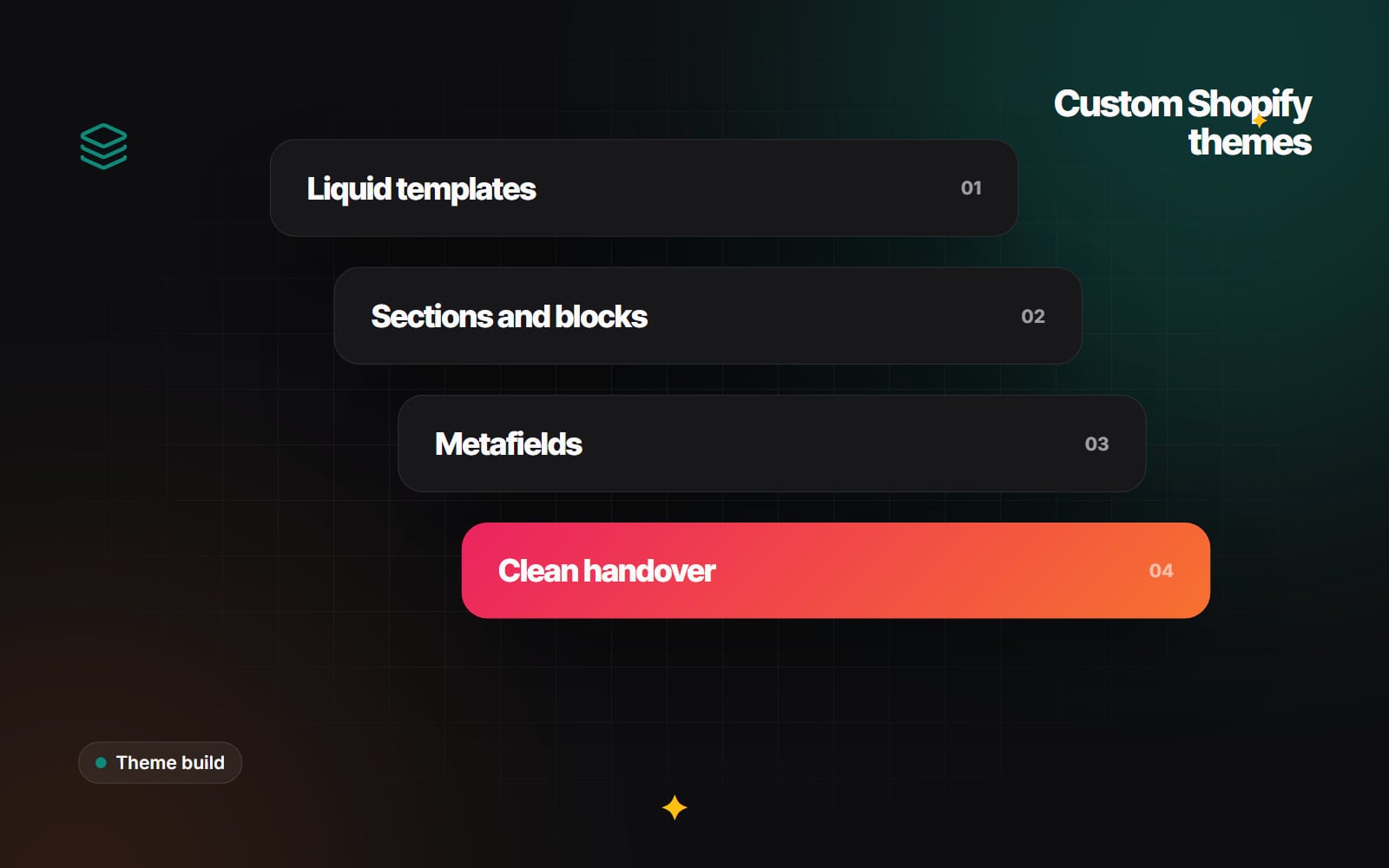
What goes into a custom Shopify theme: Liquid, sections and blocks, theme editor settings, metafields, performance, testing and handover.
A custom Shopify theme is not always the right choice. Many stores do well on a carefully chosen theme from the Shopify Theme Store with sensible changes. But if your products need unusual page layouts, your brand needs a look that a theme cannot reach without heavy overrides, or your team keeps fighting the editor, custom Shopify theme development is worth understanding. This article walks through what is involved, stage by stage, so you know what to expect and what to ask for.
Custom theme or customised theme?
These are different jobs. Customising an existing theme means changing its styles, adding sections and adjusting templates while keeping its structure. A custom theme is built for your store, often starting from a minimal base or Shopify's reference theme, Dawn, rather than from a theme with many features you will not use.
| Customised existing theme | Custom-built theme | |
|---|---|---|
| Starting point | A Theme Store or third-party theme | A minimal base or your own structure |
| Design freedom | Within the theme's layout system | Shaped around your designs |
| Code you carry | Everything the theme ships with | Only what your store uses |
| Theme updates | Vendor updates may clash with your changes | You or your developer maintain it |
| Upfront effort | Lower | Higher |
Neither is better in general. The right choice depends on how far your designs are from what existing themes do, and on who will look after the code later.
What goes into custom Shopify theme development?
1. Discovery and content modelling
Before any code, the developer needs to know what each page must show. For a product page that might be variant options, size guides, ingredients, delivery information, reviews and related products. Each piece of information needs a home: a standard Shopify field, a metafield, a metaobject or a section setting. Getting this right early prevents hard-coded text later. Shopify metafields explained covers how this works in the admin.
2. Theme structure and Liquid
A Shopify theme has a set folder structure: layout, templates, sections, blocks, snippets, assets, config and locales. Templates are mostly JSON files that list which sections appear on a page. The sections themselves are Liquid files that combine markup with data from Shopify objects such as product, collection and cart. Shopify's theme documentation describes the architecture in detail.
3. Sections, blocks and the theme editor
This is the heart of Online Store 2.0. Each section declares a schema: the settings your team sees in the theme editor (text, images, colours, product pickers) and the blocks that can be added, removed and reordered inside it. Section groups let the header and footer be edited the same way. A well-built theme gives your team enough control to build new landing pages and campaigns from existing sections, without so many settings that every page looks different.
A typical section schema is short and readable:
{% schema %}
{
  "name": "Feature list",
  "settings": [
    { "type": "text", "id": "heading", "label": "Heading" }
  ],
  "blocks": [
    {
      "type": "feature",
      "name": "Feature",
      "settings": [
        { "type": "text", "id": "title", "label": "Title" },
        { "type": "richtext", "id": "text", "label": "Text" }
      ]
    }
  ],
  "presets": [{ "name": "Feature list" }]
}
{% endschema %}
4. Dynamic sources and metafields
Settings can be connected to metafields through dynamic sources in the theme editor. That means one product template can show different size guides, specifications or badges for each product, pulled from data your team maintains in the admin. This is far easier to keep accurate than separate templates per product.
5. App compatibility
Most stores use apps for reviews, subscriptions, search or loyalty. Modern apps add their features through theme app extensions: app blocks that sit inside sections and app embeds for scripts. A custom theme should support app blocks in the right places (product information, cart, footer) so apps can be added without editing code.
6. Performance
Shopify handles hosting, but the theme decides how much the browser has to download. Good practice includes responsive images with the image_url and image_tag filters, loading only the JavaScript each page needs, avoiding large libraries for small effects, and keeping fonts lean. Measure against Google's Core Web Vitals; Core Web Vitals in plain English explains the targets.
7. Accessibility
Menus, drawers, filters, variant pickers and carousels are where accessibility problems usually appear. Build with semantic HTML, visible focus states, keyboard support and labels for every control, and test against WCAG 2.2.
8. Search and SEO basics
The theme controls headings, title tags, meta descriptions from the admin fields, structured data and image alt text output. It should also link to products by their main URL and keep canonical tags correct, so search engines are not left choosing between duplicate versions of a page. The technical SEO audit checklist lists what to check.
Testing before launch
Work happens on an unpublished theme, so the live store keeps trading. Before publishing, test:
- Every template type with real products, including ones with many variants, no images or very long titles.
- Cart, discounts and the path into checkout.
- Theme editor changes made by someone on your team, not the developer.
- Phones, tablets and desktop browsers your customers actually use.
- Installed apps and their blocks.
- Translations and currencies, if you sell in several markets.
What a good handover includes
- The theme code in a Git repository you can access, ideally connected through Shopify's GitHub integration.
- A short guide to each section: what it is for and which settings matter.
- A list of metafields and metaobjects, with what each one controls.
- Notes on any custom JavaScript and which apps the theme expects.
- A walkthrough session for your team in the theme editor.
- Clear agreement on who maintains the theme afterwards.
What affects cost and time
The main factors are the number of distinct templates, how much product data needs modelling, custom features such as configurators or bundles, the number of apps to integrate, languages and markets, and how ready your designs and content are. Unfinished content is one of the most common causes of delay.
Things to watch out for
- Text or images hard-coded into Liquid files, so your team cannot change them.
- One-off sections built for a single page that cannot be reused.
- Large JavaScript libraries loaded on every page for a single effect.
- No app blocks, so every new app needs a developer.
- No repository or documentation at the end.
Step-by-step: planning a custom theme
- 1 List every page type your store needs.
- 2 For each page type, list the information it must show.
- 3 Decide where each piece of information will live: standard field, metafield, metaobject or section setting.
- 4 Have designs made as reusable components, not one-off pages.
- 5 Agree which settings each section will expose in the theme editor.
- 6 Build on an unpublished theme under Online Store > Themes.
- 7 Test with real products, real apps and real devices.
- 8 Have your team edit pages in the theme editor before launch.
- 9 Publish, then check analytics and orders closely in the first days.
- 10 Collect the repository, documentation and access details.
Talking to Web Canvas about a theme
Web Canvas builds custom Shopify themes and adapts existing ones as part of its web development service. If you would like to talk through whether a custom theme makes sense for your store, get in touch.
Planning something similar?
Tell us what you're building and we'll come back with ideas and next steps.