Shopify, WordPress or Webflow? How to choose the right platform.
There's no universal best platform — only the best fit for your team, sales model and tech stack. Here's the framework we use to recommend one.
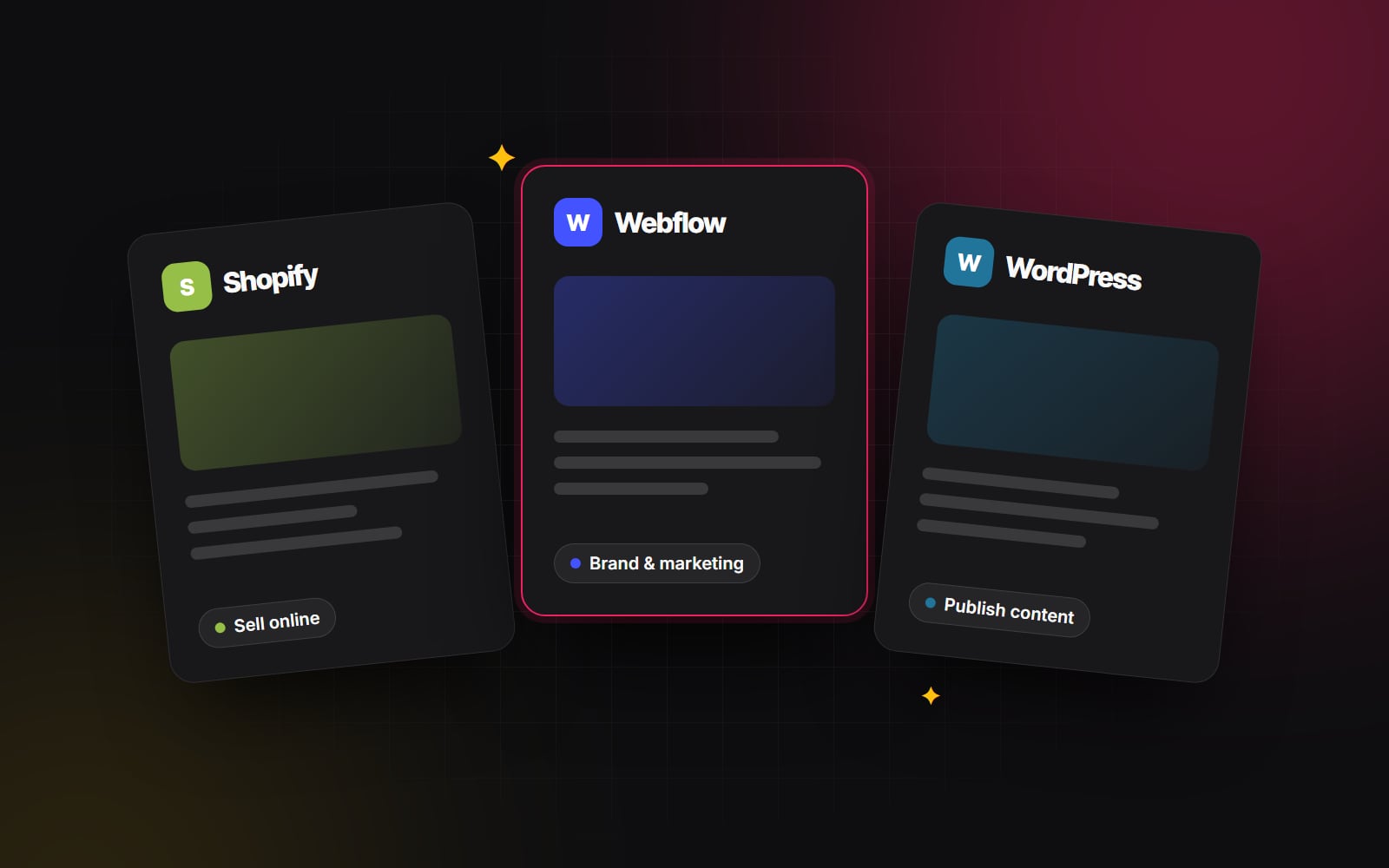
Almost every website discovery call starts with the same question: "Which platform should we build on?" Usually, the client has already spent three weeks reading comparison articles and watching YouTube reviews, leaving them more confused than when they started. Someone on the executive team wants WordPress because they've used it since 2014; the head of marketing wants Webflow because an agency showed them slick GSAP animations; and the sales lead insists on Shopify because their favorite direct-to-consumer brand runs on it.
Here is the truth after building and maintaining dozens of production sites across all three ecosystems: there is no universally superior platform. There is only the platform that creates the least friction for your specific team, your daily operational cadence, and your revenue model.
Picking the wrong platform won't necessarily bankrupt your business, but it will silently drain your budget. You will pay for it in slow campaign rollouts, bloated developer retainer bills, frustrated marketing managers, and fragile plugin workarounds. Before writing a single line of code or picking a theme, here is the exact architectural framework we run through with our clients at Web Canvas.
Start with what the website actually has to do
Forget the feature tables on software marketing pages for a second. Strip your website down to its primary business responsibility. For most companies, the site exists to do one of three jobs:
- Direct-to-consumer or B2B commerce: The primary objective is processing transactions, managing product variations, calculating regional taxes, handling inventory, and printing shipping labels.
- High-velocity inbound lead generation: The website serves as an organic content engine and conversion funnel. Marketing needs to publish landing pages, gated resources, case studies, and form sequences that pipe clean data directly into a CRM.
- Brand authority and high-fidelity storytelling: The product is high-ticket, enterprise, or design-led. The site must evoke premium credibility through micro-interactions, responsive typography, and bespoke layouts that set the brand apart from generic templates.
When you diagnose the primary job honestly, two-thirds of your options eliminate themselves immediately.
When Shopify is the clear winner
If a meaningful share of your revenue comes from someone adding an item to a cart and entering card details, don't overcomplicate this: choose Shopify.
We frequently meet founders who try to save money on transaction fees by installing WooCommerce on a cheap WordPress host. Within six months, they run into database lockups during flash sales, broken payment webhooks after plugin auto-updates, and PCI compliance headaches. Shopify solves all of that out of the box. Already on WooCommerce? Our Shopify migration checklist covers the move.
What Shopify gets right
- World-class checkout infrastructure: Shopify reports that Shop Pay converts noticeably better than guest checkout, largely because millions of shoppers already have their details saved.
- Zero hosting or infrastructure maintenance: Black Friday traffic spikes won't crash your server. You never have to patch a Linux kernel, monitor MySQL query pools, or worry about database deadlocks.
- Online Store 2.0 theme flexibility: Modern Liquid themes allow your internal marketing team to add, reorder, and hide dynamic modular sections across every page template without touching code.
Where Shopify hurts
Shopify's native blogging and non-product content engine is barebones. If your strategy relies on complex editorial content with multiple custom fields, dynamic author relationships, or intricate filterable knowledge bases, you will feel constrained quickly. App subscription fees can also stack up fast — a store needing advanced subscriptions, product bundles, custom review widgets, and translation tooling can easily spend several hundred dollars a month on app fees alone.
When WordPress still makes strategic sense
Tech Twitter loves to pronounce WordPress dead, but it still powers more than 40% of the web for a reason. When built with a modern, disciplined tech stack — custom Gutenberg blocks or decoupled ACF (Advanced Custom Fields) — WordPress is an unmatched publishing powerhouse.
Where WordPress shines
- Complex relational content architectures: If your business has 500+ case studies, a searchable directory of locations, thousands of resource articles, podcast episodes with audio players, and granular taxonomy filters, WordPress handles custom post types better than almost anything else.
- True data sovereignty: You own the database, the PHP code, and the media files. There is no platform lock-in, no arbitrary API rate limit, and no monthly platform tier forcing you into an enterprise tier.
- Internationalization and multilingual scale: Tools like WPML or Polylang, paired with deep URL routing control, give international enterprise setups total freedom over localized subdirectories and canonical structures.
The real risks of WordPress
The dark side of WordPress is what we call "plugin soup". If an agency builds your site using an off-the-shelf multipurpose theme paired with 45 third-party plugins and a visual page builder like Elementor or Divi, your website will be slow, fragile, and insecure. Maintaining WordPress properly requires an ongoing engineering discipline: managed cloud hosting (such as Kinsta or WP Engine), staging pipelines, automated visual regression testing, and routine maintenance windows.
WordPress is as clean or as messy as the development team that built it. If you treat it like an enterprise CMS, it performs like one. If you treat it like a digital junk drawer, it collapses.
When Webflow is the superior choice
For modern B2B SaaS companies, creative studios, venture funds, and professional service agencies, Webflow has become our default recommendation. It bridges the gap between Figma design freedom and production-ready clean HTML/CSS.
Why marketing and design teams love Webflow
- Pixel-perfect design fidelity: In Webflow, we can translate complex Figma designs — custom layout grids, subtle scroll-tied parallax effects, Bento layouts, and responsive typographic systems — directly into clean, semantic code without compromise.
- Intuitive on-page visual editing: Unlike WordPress backends where clients edit text inside abstract custom fields and hit "Preview" ten times, Webflow's Editor mode allows your content team to click right on the live page, tweak copy, swap images, and hit publish with zero risk of breaking the responsive layout.
- Managed hosting on a global CDN: Webflow handles SSL, caching and asset delivery for you. You never have to update plugins, fix broken database tables, or configure caching plugins.
Where Webflow falls short
Webflow is not an e-commerce powerhouse; Webflow Ecommerce suits smaller catalogues with straightforward shipping, and item limits depend on your plan. The CMS also has plan-based item limits (10,000 items on the Business plan), and custom code flexibility is bounded by Webflow's proprietary ecosystem unless you use Webflow as a headless design source.
What about HubSpot, Magento, or custom Next.js?
Shopify, WordPress and Webflow cover most of the briefs we see, but other platforms suit specialised requirements:
- HubSpot CMS: Best for mid-market B2B teams whose sales pipeline lives entirely inside HubSpot CRM. Having smart content rules (showing different hero headers based on whether a visitor is already a deal in your pipeline) directly connected to your marketing automation workflows is a powerful lever for sales.
- Magento / Adobe Commerce: Strictly for high-volume enterprise B2B distributors requiring complex dealer pricing tiers, purchase orders, punchout catalogues, and multi-warehouse SAP integrations. For most businesses, it is overkill.
- Custom React & Next.js: When the website is not just a marketing brochure, but an interactive product — featuring proprietary customer portals, custom financial calculators, real-time data visualisations, or heavy algorithmic logic. We cover the trade-offs in headless CMS explained.
The 5-step decision framework we use with clients
If your team is stuck in a deadlock, sit down with your stakeholders and answer these five practical questions:
- 1 What is the conversion event? If it's a checkout cart, choose Shopify. If it's a qualified form fill, demo booking, or newsletter signup, prioritize Webflow or HubSpot.
- 2 Who touches the website on Tuesday afternoon? If a non-technical marketing coordinator needs to spin up a new landing page in 45 minutes without waiting on an engineer, Webflow is usually the better fit.
- 3 What does your content library look like in 24 months? If you have 30 static pages and a focused bi-weekly blog, Webflow is effortless. If you have 3,000 indexable knowledge base entries and 20 distinct custom post types, choose WordPress.
- 4 What is your real maintenance budget? If nobody on your payroll wants to manage security patches, PHP versions, and backup logs, stay away from self-hosted WordPress and pick a managed platform.
- 5 Which tools must connect natively? Check your sales stack first. If your entire team runs on HubSpot, Salesforce, or Klaviyo, map out your data flow before picking your CMS.
Still wrestling with which direction to take for your upcoming relaunch? At Web Canvas, we design and build across all of these platforms. We don't push one platform over another because of an affiliate link — our only job is making sure the platform you invest in today still serves your growth two years from now. Tell us about your project and we'll recommend one — with our reasons.
Planning something similar?
Tell us what you're building and we'll come back with ideas and next steps.