What to expect from a Shopify Plus developer.
What a Shopify Plus developer works on, from checkout extensibility and Functions to B2B, Flow, Markets and expansion stores, and when those skills matter.
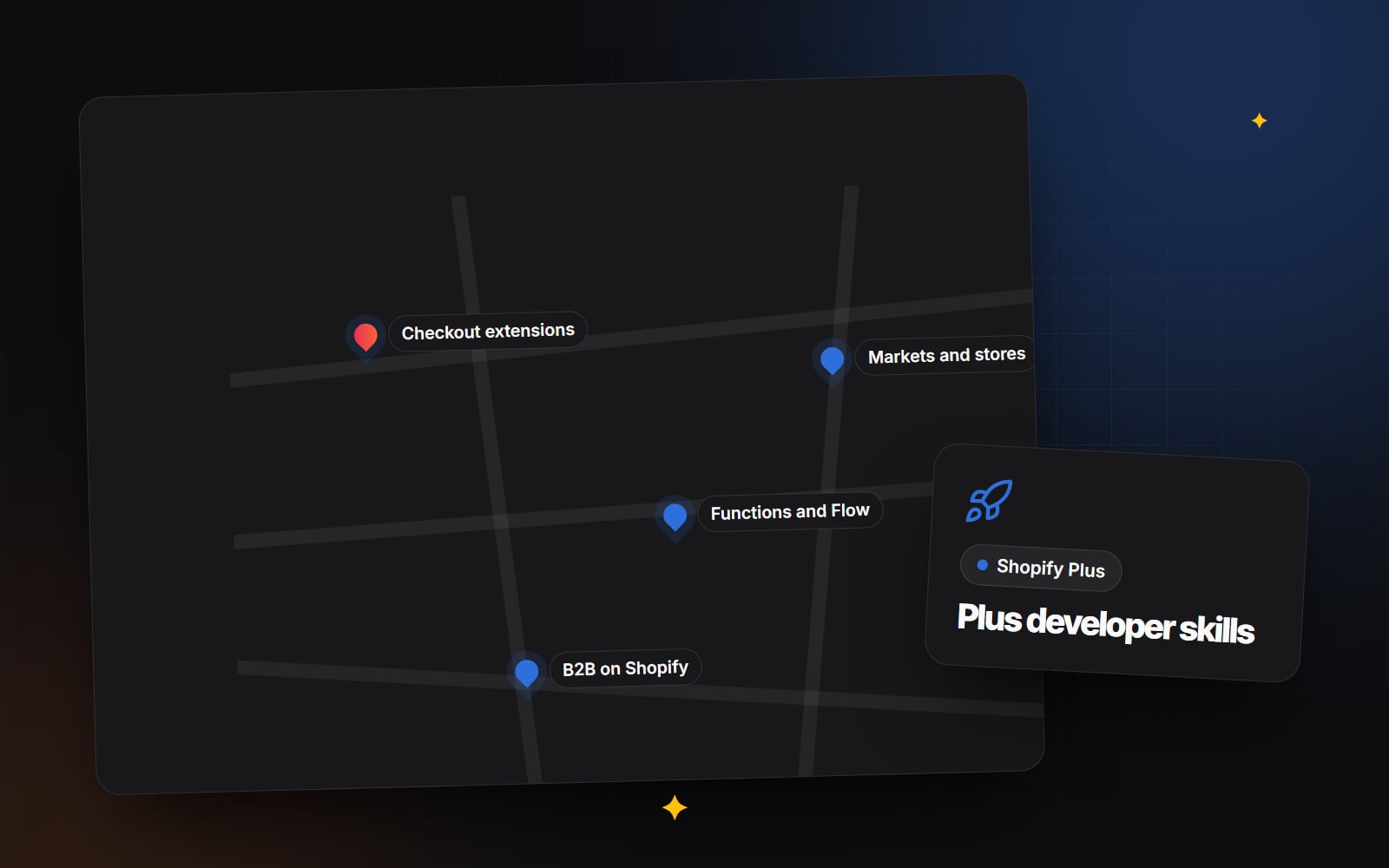
Shopify Plus is Shopify's plan for larger and more complex businesses. It runs on the same platform as other plans, so much of the development work is identical. What changes is the set of features you can use, and the scale and number of systems involved. This article explains what a Shopify Plus developer typically works on, which skills to look for, and when those skills actually matter for your store. If you are still deciding whether to move to Plus at all, start with Shopify Plus vs Advanced.
Plan features change over time. Treat the details below as a guide, and check Shopify's current plan comparison and documentation before you commit to anything.
What does a Shopify Plus developer work on?
Checkout extensibility
Shopify has retired checkout.liquid for customising checkout. Changes are now made through checkout extensibility: the checkout editor and branding settings, checkout UI extensions, Shopify Functions, and web pixels for tracking. On Plus, checkout UI extensions can be added to the information, shipping and payment steps as well as the thank you and order status pages. Other plans have more limited options.
A Plus developer should know how to build a checkout UI extension with the Shopify CLI, where each extension target appears, how to read and write cart attributes and metafields from the checkout, and how to keep the checkout fast and accessible. Every addition at checkout is a chance to distract or confuse a buyer, so restraint is part of the skill. Checkout friction: 8 small problems that lose sales covers what to avoid.
Shopify Functions in custom apps
Functions let developers replace parts of Shopify's built-in logic: discount rules, shipping options, payment options, cart and checkout validation, and more. They replaced Shopify Scripts, so Plus stores that relied on Scripts have needed this logic rebuilt. On Plus, a developer can put Functions into a custom app built just for your store, rather than relying only on public apps. That makes it practical to encode business rules exactly, such as discounts that depend on customer tags, or hiding a delivery method for oversized products.
B2B on Shopify
Plus includes B2B features: company accounts with multiple locations and buyers, catalogues with specific prices, quantity rules, payment terms and a B2B checkout. A developer working on B2B needs to understand how these objects fit together, how the theme should show different prices and minimums to business buyers, and how the data syncs with an ERP or accounting system. Often the hard part is not Shopify itself but agreeing which system holds the master copy of customers, prices and stock.
Shopify Flow and automation
Shopify Flow is available on many plans now, so it is not unique to Plus. On larger stores, though, Flow tends to carry more of the load: tagging high-risk orders, routing B2B orders, alerting staff about low stock, or triggering actions in other apps. A Plus developer should be able to design workflows that are easy to understand, test them safely, and know when a job is better handled by a custom app instead of a long chain of Flow steps.
Markets and international selling
Shopify Markets manages countries and regions within one store: currencies, languages, domains or subfolders, pricing and duties settings. A developer's job is to make the theme work in every market, set up translation with the right tools, handle market-specific content, and make sure search engines see the right version of each page. Selling internationally explains the business side.
Expansion stores and the organisation admin
Plus allows additional stores under one organisation, often used for separate regions, brands or a wholesale store. Some businesses use Markets in a single store; others prefer separate stores for each region. Each approach has trade-offs in content management, stock, reporting and how much theme code is shared. A developer with Plus experience can explain those trade-offs and set up a way to deploy one theme to several stores without them drifting apart.
Integrations at scale
Larger stores usually connect to more systems: ERP, warehouse or 3PL, product information management, CRM, marketing and customer service. Plus stores also get higher API limits in some areas. The developer needs to handle bulk operations, webhooks, retries and error alerts, so that a failed sync is noticed before customers are affected.
When do Plus-specific skills matter?
| Your project | Plus experience needed? |
|---|---|
| Theme redesign on a Plus store | Helpful, not essential. Strong theme skills matter most. |
| Changes to checkout steps | Yes. Checkout UI extensions and their limits are specific. |
| Rebuilding Shopify Scripts | Yes. Needs Functions experience. |
| Launching B2B or wholesale | Yes. B2B data and pricing take careful planning. |
| Several regional stores | Yes. Multi-store deployment and data sync are involved. |
| Installing and configuring apps | Usually not. |
What good looks like
- They explain which features depend on Plus and which do not, without overselling the plan.
- They work in a version-controlled repository and deploy to a copy or development store before production.
- They document every Function, extension and Flow workflow: what it does, why, and who to ask.
- They plan for Shopify's API version updates and check extensions after each change.
- They think about the people using the admin, not just the storefront.
Questions to ask a Shopify Plus developer
- 1 Which Plus features have you built with, and can you show an example?
- 2 How did you approach moving from Shopify Scripts to Functions on a previous store?
- 3 What would you add to our checkout, and what would you leave out?
- 4 Would you use Markets in one store or separate expansion stores for us, and why?
- 5 Which system should hold the master data for B2B customers and prices?
- 6 How will you test checkout changes without affecting live orders?
- 7 What documentation will we receive?
Things to watch out for
- Upgrading to Plus for a feature that is already available on your current plan.
- Adding many checkout extensions because they are available, not because buyers need them.
- Rebuilding Scripts one-to-one as Functions without asking whether each rule is still needed.
- Expansion stores that each get a slightly different copy of the theme.
- Integrations with no error alerts or logs.
- Contract, data protection and tax questions for international or B2B selling: take professional advice on these rather than relying on your developer.
Steps to plan Plus development work
- 1 List the features you need and mark which depend on Plus.
- 2 Confirm each one against Shopify's current plan comparison.
- 3 Map which system holds customers, products, prices and stock.
- 4 Decide between one store with Markets and several expansion stores.
- 5 Set up a development store or copy for testing.
- 6 Build and test Functions and checkout extensions there first.
- 7 Document every workflow, Function and extension.
- 8 Plan who will update and monitor them after launch.
Plus work at Web Canvas
Web Canvas builds on Shopify and Shopify Plus, including international and B2B setups, as part of its web development work. If you are planning Plus features and want to talk through the approach, get in touch.
Planning something similar?
Tell us what you're building and we'll come back with ideas and next steps.