Selling internationally: currencies, domains and import charges.
Domain structures, Shopify Markets, local currencies and payment methods, import charges at checkout and hreflang for cross-border online stores.
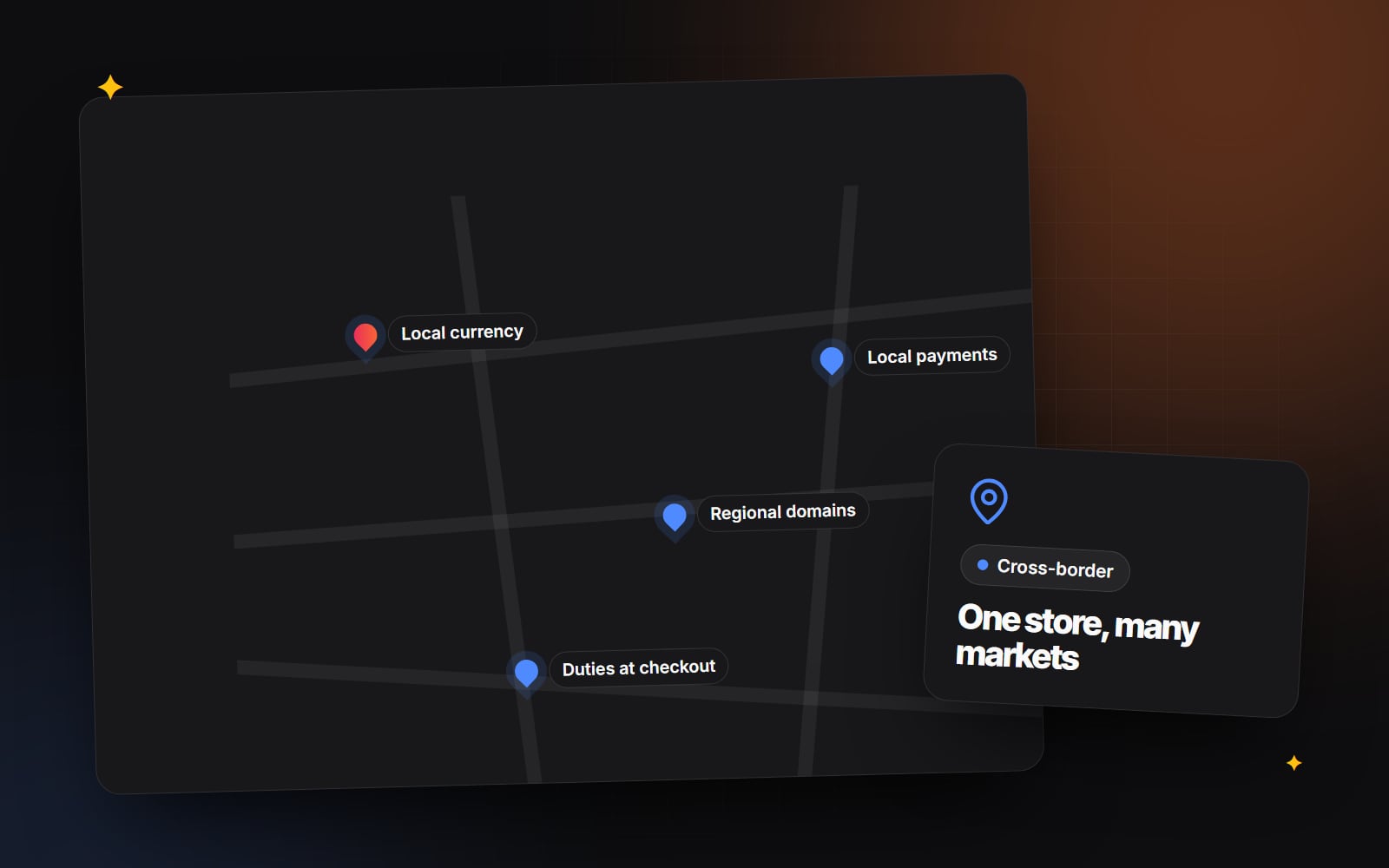
Selling abroad can open up new customers, but it also adds decisions that a domestic store never has to make: which currency to show, how to structure your domains, who pays import charges, which payment methods to offer and how search engines should tell your regional pages apart.
Think of a UK shopper on a US store. Prices are only shown in dollars, shipping costs appear late, and a few days after ordering the courier asks for import charges before handing over the parcel. Each step adds doubt, and the last one often leads to a refused delivery and a frustrated customer. Most of that can be avoided with set-up choices made before launch.
1. Choose a domain structure
There are three common ways to organise regional versions of a store. None is "correct" for everyone, but they have different trade-offs:
| Structure | Example | Strengths | Trade-offs |
|---|---|---|---|
| Subfolders | example.com/en-gb/ | One domain to build authority for; simplest to manage | Weaker local signal than a country domain |
| Subdomains | uk.example.com | Can be hosted or managed separately | Often treated more like separate sites; more set-up |
| Country-code domains | example.co.uk | Clear local signal to shoppers and search engines | Each domain must build its own reputation; more domains, certificates and renewals to manage |
Subfolders are usually the practical starting point for small and mid-sized brands, because links and content all strengthen one domain. Country-code domains can make sense when you have separate teams, catalogues or legal entities per country, or when a local domain is clearly expected in your market. Google's guidance on managing multi-regional and multilingual sites sets out the same options.
Whichever you choose, make sure the business owns every domain. Our guide on who owns your domain explains how to check.
2. Set up markets and currencies
On Shopify, international selling is managed through Markets. A market is a country or group of countries that can have its own currency, language, domain or subfolder, pricing and product availability. Shopify's help centre has current documentation on Markets, and the exact features available depend on your plan and the payment provider you use.
A typical set-up looks like this:
- 1 In your Shopify admin, open Markets (depending on your admin version, it is in the main menu or under Settings).
- 2 Add a market for each country or region you want to sell into.
- 3 For each market, choose its currency and whether prices are converted automatically or set manually.
- 4 Set rounding rules so converted prices look natural (for example ending in .00 or .95).
- 5 Choose the domain or subfolder for the market and the languages it uses.
- 6 Review shipping zones and rates so each market has sensible delivery options.
- 7 Place a test order in each market's currency before announcing it.
Automatic conversion is quick to launch, but exchange rates move, so prices change slightly over time. Setting fixed local prices for your main markets gives more control and lets you price for each market rather than simply converting.
If you're on another platform, such as Magento with multiple store views or a headless build, the same decisions apply even though the settings live in different places.
3. Decide who pays import charges
When goods cross a border, import duties and taxes may be due. Who pays them, and when, makes a big difference to the shopper's experience.
- Delivered Duty Paid (DDP): you collect the charges at checkout (or absorb them) and the parcel arrives with nothing more to pay.
- Delivered At Place (DAP): the customer pays any charges on delivery. You'll still see this called "DDU" (Delivered Duty Unpaid), the older Incoterms name that was replaced by DAP in Incoterms 2010.
Surprise charges at the door are a common reason for refused deliveries and complaints. If you can show the full landed cost before payment, shoppers know exactly what they're agreeing to. Shopify can calculate and collect duties and import taxes at checkout for some stores and destinations, and also offers a managed option where a partner acts as merchant of record in certain regions. Availability and eligibility vary, so check Shopify's documentation for your situation.
If you can't collect charges at checkout yet, say clearly on product pages, the shipping page and in the cart that customers in certain countries may have to pay import charges on delivery. Honest messaging prevents most of the frustration.
Some countries also have specific rules about who must collect VAT or GST on lower-value imports. This is exactly the area to confirm with an accountant before launch.
4. Offer the payment methods people expect
Card payments are widely accepted, but in many countries shoppers are used to local methods: iDEAL in the Netherlands, Pix in Brazil, UPI in India, and various bank transfer and pay-later options across Europe. Offering the method a shopper expects removes a reason to hesitate at the last step.
- 1 List your target countries.
- 2 Check which local payment methods your payment provider supports in each.
- 3 Enable the ones that fit your business and test them with a real checkout.
- 4 Make sure checkout shows the methods relevant to the shopper's country rather than a long global list.
Our article on checkout micro-frictions covers other small checkout issues that cost orders.
5. Help search engines show the right regional page
If you have several English-language versions of a store (UK, US, Australia), the pages will look very similar. That isn't a penalty risk, but search engines need help to show each visitor the right version. That's what hreflang annotations do: they tell search engines which URL is for which language and region.
- Each regional page should list all its alternates, including itself.
- Use correct codes, such as en-GB for English in the UK.
- Add an x-default for visitors who don't match any region.
- Make the regional pages genuinely regional: local currency, shipping information, spelling and contact details.
Shopify generally adds hreflang tags automatically for markets that use their own domain or subfolder, but it's worth checking the page source after launch. If you're changing URLs as part of the move, follow the same care as a redesign that protects your rankings.
6. Suggest a region, don't force it
Automatically redirecting visitors based on their IP address can trap people who are travelling, using a VPN or shopping for someone abroad, and it can stop search engine crawlers from reaching all your regional pages. A better pattern:
- 1 Detect the visitor's likely country.
- 2 Show a small banner: "It looks like you're in the UK. Switch to prices in pounds?"
- 3 Remember their choice.
- 4 Keep a country and currency selector in the header or footer so anyone can change it later.
7. Operations behind the storefront
The website is only part of international selling. Before launch, also plan:
- Delivery times and returns: state realistic delivery estimates per region and explain how international returns work.
- Customer support: decide how you'll answer questions across time zones. Self-service order tracking, or an AI assistant for order queries, can handle simple requests out of hours.
- Privacy: privacy and cookie rules differ by country. Our cookie consent guide covers the basics for the UK and EU.
- Reporting: segment your analytics by country to spot problems such as a payment method failing in one market. Our guide to useful GA4 reports shows where to start.
International selling works best when domains, pricing, checkout and logistics are planned together. If you're preparing to sell abroad on Shopify, see our international Shopify work, or get in touch to talk through your markets.
Planning something similar?
Tell us what you're building and we'll come back with ideas and next steps.