Ongoing Shopify development support: what to include.
What to include in ongoing Shopify support: theme changes, app reviews, monitoring, seasonal prep, and how to scope the arrangement.
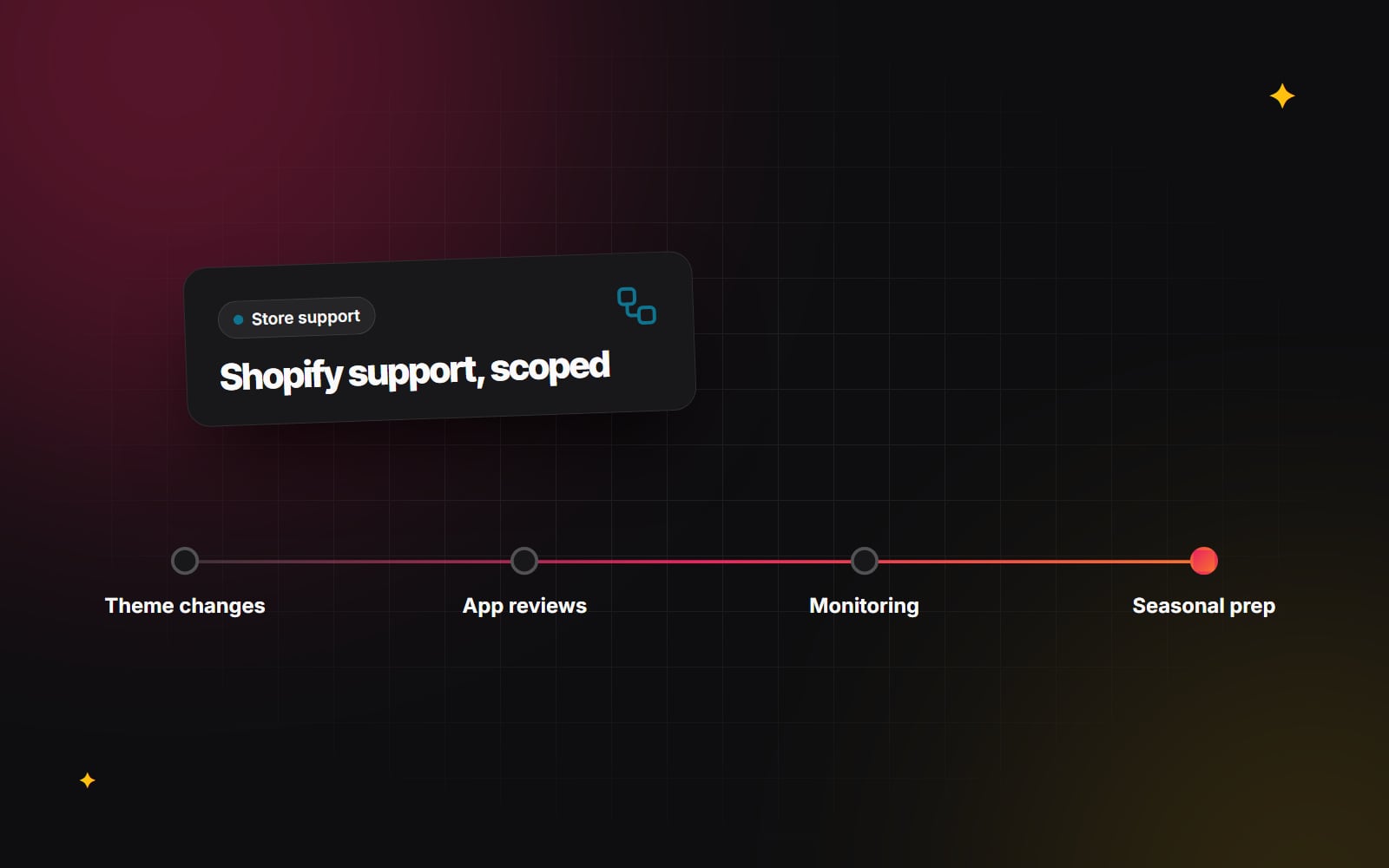
Ongoing Shopify development support is the work that keeps a store healthy after launch: theme changes, app reviews, fixes when something breaks, and preparation for busy trading periods. Shopify takes care of hosting, security patches to the platform and the checkout infrastructure, so support from a Shopify developer looks different from support for a self-hosted site. This guide sets out what is worth including and how to scope an arrangement that fits your store.
What Shopify handles, and what it does not
Because Shopify is a hosted platform, you do not need anyone to patch servers, update PHP or renew SSL certificates. That removes a large part of a traditional maintenance plan. What remains is everything specific to your store:
- Your theme and any custom code in it.
- The apps you install and how they interact with each other.
- Integrations with other systems, such as stock, accounting, email or fulfilment.
- Content, products, collections and navigation.
- Tracking, analytics and consent settings.
Shopify also changes over time. Features are added, older approaches are retired and app providers update their products. Recent examples include the move from Shopify Scripts to Shopify Functions and the shift to checkout extensibility, which retired checkout.liquid for the checkout. Someone needs to keep an eye on changes like these and judge what they mean for your store.
What to include in Shopify development support
Theme changes and small builds
Most of the day-to-day work is small: a new section for a campaign, a change to the product page layout, a banner, a new template for a product type. On an Online Store 2.0 theme, many of these can be done by your team in the theme editor. Support should cover the changes that need code, and should leave things built so your team can edit them later without a developer.
App reviews
Apps accumulate. A periodic review asks of each one: is it still used, is it still the right choice, does it overlap with another app or a feature Shopify now offers natively, and does it slow the storefront down? Removing an app properly includes checking for code it left in the theme.
Theme updates
If you use a theme from the Theme Store, its developer releases new versions with fixes and features. If your theme has custom code edits, updating is not a single click, because those edits need to be carried over or rebuilt. A support arrangement should include a plan for this, so your theme does not fall years behind.
Monitoring
Monitoring for a Shopify store is less about uptime and more about whether things still work. Useful checks include:
- Adding to cart and reaching checkout on mobile and desktop.
- Discount codes and automatic discounts applying as expected.
- Integrations syncing orders, stock and customers.
- Core Web Vitals trends for key templates.
- Broken links and missing redirects after products are removed.
Some of this can be automated. Our guide to automated website testing covers the kinds of checks that can run on a schedule.
Seasonal preparation
Before a sale or a peak period, there is useful work to do in advance: testing discounts and bundles, checking that pages load well with large campaign images, freezing non-urgent changes, confirming app limits and stock sync, and agreeing who is available if something goes wrong. Building this into support means it happens before the rush rather than during it.
Backups and change history
Shopify does not keep a full backup of your store data for you to restore on demand. Theme code can be versioned using Shopify's GitHub integration or by keeping dated duplicate themes. Store data such as products and customers can be exported or backed up with an app. Read website backups that actually restore for how to test that a backup is usable.
Access and security
Support should include tidying up staff and collaborator accounts, removing access for people who have left, and making sure everyone uses two-step authentication. The security basics for small teams apply to a Shopify admin as much as anywhere.
How to scope a Shopify support arrangement
There is no single right structure. The common options, and when each tends to fit:
| Arrangement | How it works | Tends to suit |
|---|---|---|
| Ad hoc | You request work when needed and it is quoted or billed each time. | Stable stores with occasional changes. |
| Monthly allowance | A set amount of developer time each month, with agreed rules for unused time. | Stores with a steady flow of small changes. |
| Dedicated capacity | A developer or team reserved for your store for part of each week. | Larger stores with ongoing development and integrations. |
Whatever the structure, clarify these points in writing:
- What is included: small changes, fixes, reviews, monitoring, seasonal checks.
- What is a project: a new feature, redesign or integration that is quoted separately.
- How requests are made: a shared board, email or ticketing tool, with one place for everything.
- How urgent issues are handled: what counts as urgent, and how to reach someone.
- How work is reported: a regular summary of what was done and what is coming up.
- Who owns the accounts: the store, apps and domain should be in your business's name.
The terms of any agreement, including liability and notice periods, are worth checking with a professional adviser. Our checklist for website maintenance retainers covers the general questions that apply to any platform.
What good Shopify support looks like
- Changes are made on a duplicate or development theme and previewed before publishing.
- Code is documented well enough that another developer could pick it up.
- The developer explains trade-offs, such as the speed cost of a new app, before you commit.
- You get suggestions, not just completed tickets: "this app now duplicates a native feature".
- Your team is left more capable, not more dependent.
Watch out for
- Edits made straight to the live theme. Small mistakes become visible to shoppers immediately.
- App sprawl. Each new app should be a deliberate decision, not a quick fix.
- No record of changes. Without one, nobody knows why something was built a certain way.
- Vague scope. Disagreements usually come from unclear lines between support and projects.
Setting up Shopify support: a step list
- 1 List the changes and fixes you have needed over recent months.
- 2 List every app, integration and custom feature in the store.
- 3 Note any upcoming sales, launches or seasonal peaks.
- 4 Decide which structure fits: ad hoc, monthly allowance or dedicated capacity.
- 5 Give the developer their own collaborator or staff access from the users and permissions area of Settings, rather than sharing a login.
- 6 Agree one place where all requests are logged.
- 7 Agree what counts as urgent and how to raise it.
- 8 Set up a dated duplicate of the live theme before any work starts.
- 9 Schedule a regular app and theme review.
- 10 Book a pre-peak check well ahead of your busiest period.
- 11 Review the arrangement after a few months and adjust.
Getting help
Web Canvas offers Shopify support alongside its wider Shopify development work, and support often overlaps with e-commerce optimisation, such as improving product pages and checkout flow over time. If you are trying to work out what kind of support your store needs, you are welcome to send us a note about how it runs today.
Planning something similar?
Tell us what you're building and we'll come back with ideas and next steps.