Headless Shopify with Hydrogen and Oxygen: is it worth it?.
What headless Shopify with Hydrogen and Oxygen involves, what you gain, what you give up, and a checklist to decide if it suits your store.
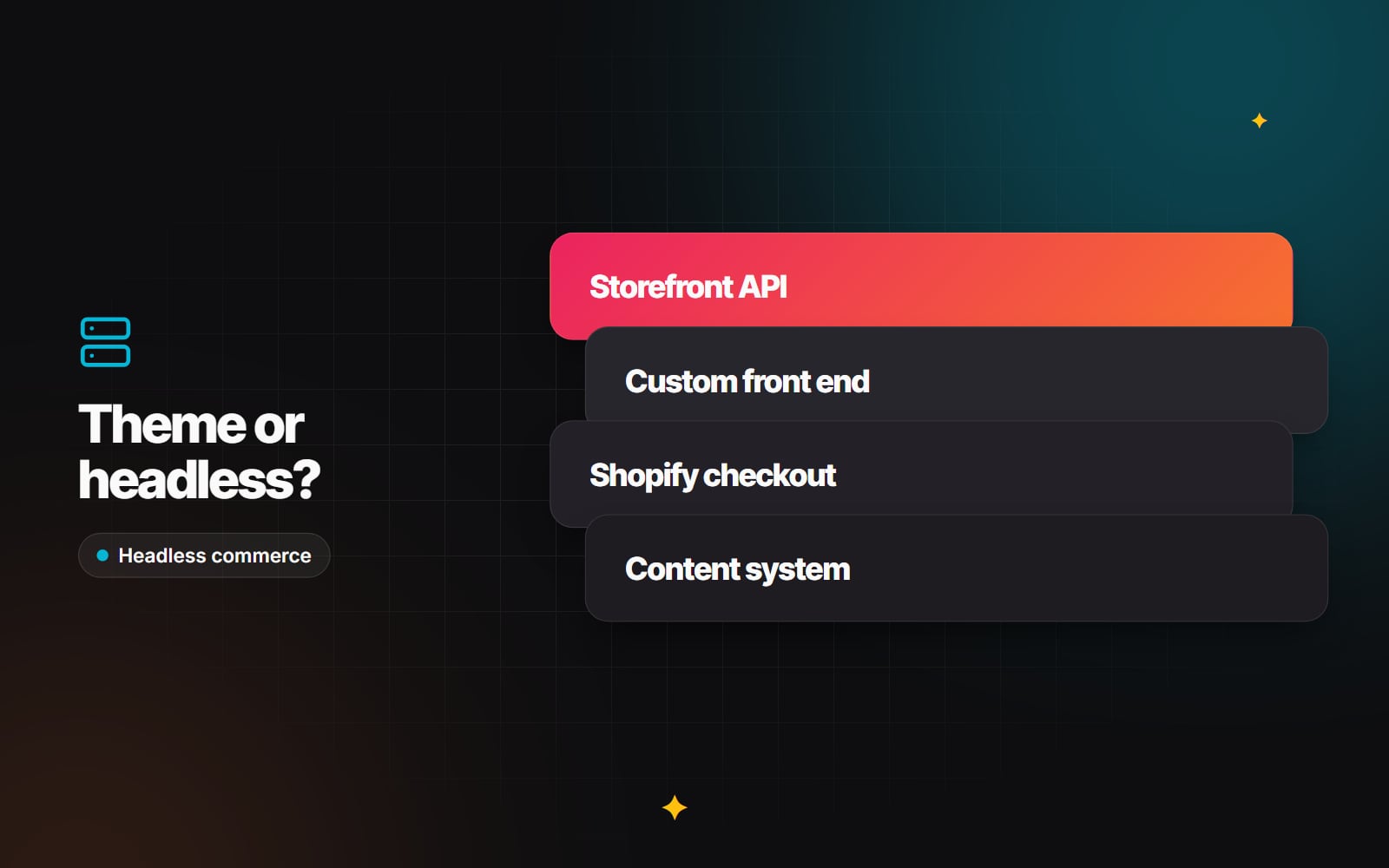
A standard Shopify store uses a theme: Liquid templates that Shopify renders and hosts, edited through the theme editor and extended with apps. A headless Shopify store keeps Shopify for products, inventory, orders and checkout, but replaces the theme with a separately built front end that fetches data through Shopify's APIs.
Shopify's own tools for this are Hydrogen, a React-based framework for building custom storefronts, and Oxygen, Shopify's hosting platform for Hydrogen sites. Headless gives you a lot of freedom. It also takes away a lot of what makes Shopify easy to run. This guide covers both sides so you can decide whether it's worth it for your store.
How headless Shopify works
In a theme-based store, Shopify renders your pages from Liquid templates. In a headless store:
- Your front end, often a Hydrogen app, requests products, collections and cart data from Shopify's GraphQL Storefront API.
- Content such as editorial pages and lookbooks comes from Shopify metaobjects or from a separate headless CMS.
- When the shopper is ready to pay, the cart hands off to Shopify's checkout, so payment, tax and order handling stay with Shopify.
- Customer log-in and account pages are built against Shopify's Customer Account API.
Hydrogen is built on React Router (earlier versions were built on Remix) and comes with Shopify-specific components and utilities for carts, SEO, analytics and caching. Oxygen hosts Hydrogen apps on Shopify's global infrastructure and deploys directly from a connected GitHub repository. You can also build a headless front end with another framework, such as Next.js, using the same Storefront API, and host it elsewhere.
What headless does well
1. Freedom in the front end
Without theme constraints, developers can build interactions that are hard to do in Liquid: complex product configurators, bundle builders, rich editorial pages that mix products and content, or a single design system shared with other web properties.
2. Control over performance
Server rendering, streaming and caching are in your team's hands. That makes it possible to build a very fast storefront. It also makes it possible to build a slow one. Headless isn't automatically faster: a heavy React app can perform worse than a lean theme. Whichever route you take, measure against Google's Core Web Vitals thresholds (LCP of 2.5 seconds or less, INP of 200 milliseconds or less, CLS of 0.1 or less). Our Core Web Vitals guide explains each one.
3. One back end, several front ends
The same Shopify store can supply data to a website, a mobile app and other touchpoints through its APIs, which helps if you're already building more than one customer-facing interface.
What you give up
1. Plug-and-play apps
Many Shopify apps add features to your store through theme app extensions or theme code. On a headless storefront those don't appear automatically. For each app you rely on, such as reviews, loyalty, search or subscriptions, check whether it has an API or a headless SDK, then budget for building and maintaining the integration.
2. The theme editor
Marketing teams who are used to rearranging sections in the Shopify theme editor lose that ability. To keep them independent, you'll need a content system they can edit, either Shopify metaobjects or a headless CMS with a visual editor, plus front-end components built to match. See our explainer on headless CMS for the options.
3. Ongoing engineering
A headless storefront is a custom software project. Framework updates, API version changes, dependency upgrades and bug fixes all need developer time. If you don't have that capacity in-house, factor in an ongoing support arrangement.
A decision checklist
| Question | Points towards a theme | Points towards headless |
|---|---|---|
| Can a theme do what the storefront needs? | Yes, with sections, metafields and apps | No, key experiences need custom code |
| Who edits the site day to day? | Non-technical team, theme editor | Team with a CMS and developer support |
| How much do you rely on apps? | Heavily, many theme-based apps | Lightly, or apps with good APIs |
| Developer capacity | Occasional help | Dedicated or retained developers |
| Other front ends | Website only | Website plus app or other channels |
If most of your answers fall in the theme column, a custom theme built on Online Store 2.0, with structured product data in metafields, will usually be faster to launch and easier to run. Check with Shopify which plans currently include Hydrogen and Oxygen before planning around them.
Common pitfalls in headless projects
- 1 Assuming apps will just work: audit every app before the project starts, not halfway through.
- 2 Leaving editors behind: if every banner change needs a developer, the marketing team will be frustrated within weeks.
- 3 Too much client-side JavaScript: render pages on the server and keep client-side code to interactive parts, or mobile performance will suffer.
- 4 Cart and checkout bugs: test the cart-to-checkout handoff thoroughly, including discounts, markets and currencies, and logged-in customers.
- 5 Missing redirects: if URLs change, map every old URL to its new one. Hydrogen can use the URL redirects you manage in the Shopify admin, but you have to set this up. See our guide to redesigning without losing rankings.
- 6 Forgetting analytics and consent: tracking and cookie consent have to be wired up again in the new front end and tested before launch.
Getting started
- 1 Write down the specific storefront features a theme can't deliver.
- 2 List every app and integration you use and check each for headless support.
- 3 Decide where content will live and who will edit it.
- 4 Build a small proof of concept, such as one product page plus the cart and checkout handoff, before committing to the full build.
- 5 Plan for maintenance after launch, not just the build.
Our headless Shopify work starts with exactly this assessment, and sometimes the answer is a better theme instead. If you're weighing it up, contact us with what you'd like your storefront to do.
Planning something similar?
Tell us what you're building and we'll come back with ideas and next steps.