Internal linking: topic clusters, anchor text and orphan pages.
How internal links help search engines and visitors, how to build topic clusters, write descriptive anchors and audit your site's links.
When people talk about SEO links, they usually mean backlinks from other websites. Those matter, but they are slow to earn and largely outside your control. Internal links, the links between pages on your own site, are entirely in your hands, and many sites barely think about them.
Good internal linking helps search engines find and understand your pages, and helps visitors move from a general overview to the detail they need. This guide covers how internal links work, how to organise content into topic clusters, how to write useful anchor text and how to audit what you already have.
What internal links do for search engines
Google's own guidance on making links crawlable explains the basics. Internal links do three jobs:
- 1 Discovery. Crawlers find new pages mainly by following links. A page with no internal links pointing to it (an orphan page) may still be found through a sitemap, but it is much harder for Google, and visitors, to reach.
- 2 Signals of importance. Links pass signals between pages; PageRank, the original idea behind Google's link analysis, is the best-known example. Pages you link to often and prominently look more important than pages buried deep in the site.
- 3 Context. The anchor text and the words around a link tell Google what the destination page is about.
Links also need to be real HTML links (<a href="...">). Navigation built only with JavaScript click handlers may not be followed.
Topic clusters: organising content around a hub
A topic cluster is a group of pages on one subject, linked together around a central page. It mirrors how people research: they start broad and then go deeper on the parts that matter to them.
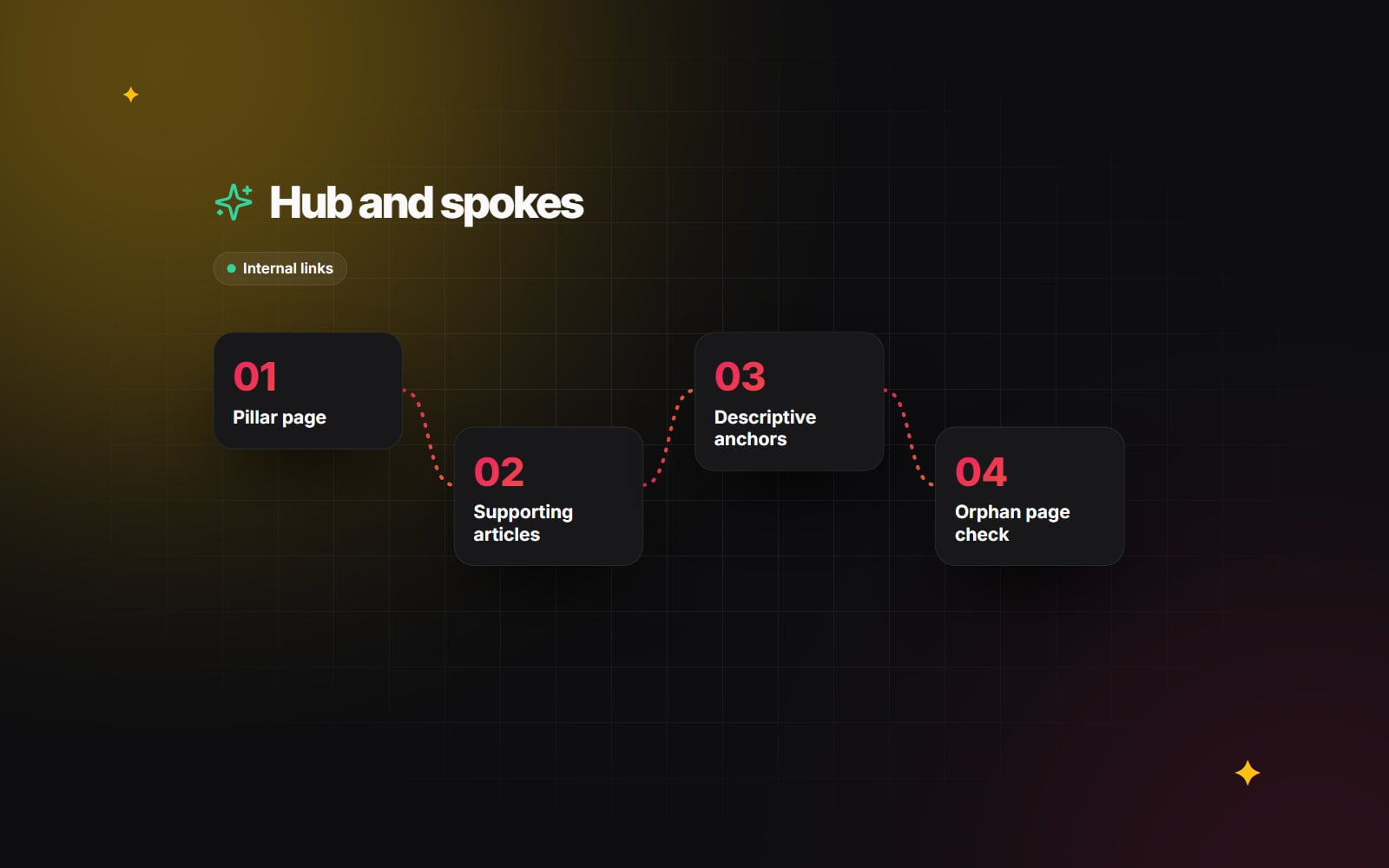
1. The pillar page (the hub)
This is a broad overview of a subject, often a service page. For example, our Shopify services page gives an overview of the whole subject and links out to detail. A good pillar answers the main questions briefly and points readers to deeper resources.
2. Supporting articles (the spokes)
These cover narrower questions in depth. On a website performance topic, spokes might include Core Web Vitals explained and choosing between WebP and AVIF.
3. Links in both directions
Each spoke should link back to its pillar, and the pillar should link to each spoke. Spokes can also link to each other where the connection is genuinely useful to the reader. You don't need to keep clusters strictly separate: if an article in one cluster helps a reader of another, link to it. The aim is a site that is easy to navigate, not one divided into rigid silos.
Writing useful anchor text
- Describe the destination. "Read our guide to redesigning a website without losing rankings" tells both readers and search engines what to expect. "Click here" tells them nothing.
- Keep it natural. The anchor should read as part of the sentence. Forcing exact-match keywords into every link makes copy awkward and adds little.
- Vary it sensibly. When several pages link to the same destination, different natural phrasings are fine and expected.
- Prioritise links in the main content. Navigation and footer links are useful, but a link placed within relevant body text gives clearer context about why the pages are related.
- Don't overdo it. A paragraph packed with links is hard to read. Link where it genuinely helps the reader take the next step.
Keep important pages within easy reach
There is no fixed number of clicks a page must sit from the home page, but a useful rule of thumb is that important pages shouldn't be buried. If a key service page can only be reached through several layers of menus or paginated archives, add links to it from relevant, well-visited pages. Category pages, hub pages and "related articles" sections all help keep the structure shallow.
Programmatic and directory-style sections need particular care, because they can create large numbers of pages with few links into them. Our guide to programmatic SEO covers linking at that scale.
How to audit your internal links
A review every few months, and after any major content change or redesign, keeps the structure healthy.
- 1 Run a crawl of your site with a desktop crawler such as Screaming Frog SEO Spider, or the site audit tool you already use.
- 2 Export the list of URLs with zero or very few internal links pointing to them. Compare it with your sitemap to find pages the crawler couldn't reach at all.
- 3 For each orphan or weakly linked page, decide whether it is still useful. Link it from relevant pages, merge it into a stronger page, or redirect or remove it.
- 4 Filter the crawl for internal links that return a 404 or a redirect. Update each link to point directly at the final URL.
- 5 In Google Search Console, open Links and check the Top linked pages table under Internal links. Confirm your most important pages appear near the top.
- 6 In Performance > Search results, find pages that get impressions but sit just outside the top results. Check whether related articles could link to them with descriptive anchor text.
- 7 Record what you changed so you can review the effect at the next audit.
Internal links are one part of a wider technical SEO audit, which also covers redirects, canonicals and indexing.
Common internal linking mistakes
- Publishing new posts without linking to them from any existing content.
- Changing URLs during a redesign and leaving old internal links pointing at redirects.
- Using the same vague anchor ("learn more") for dozens of different destinations.
- Linking every page to every other page, which dilutes context and overwhelms readers.
- Hiding important pages behind filters, search forms or JavaScript-only navigation.
Internal linking is ongoing maintenance rather than a one-off fix, and it is easier to get right when it is planned into a site's structure from the start. If you would like help mapping out your site structure, get in touch.
Planning something similar?
Tell us what you're building and we'll come back with ideas and next steps.